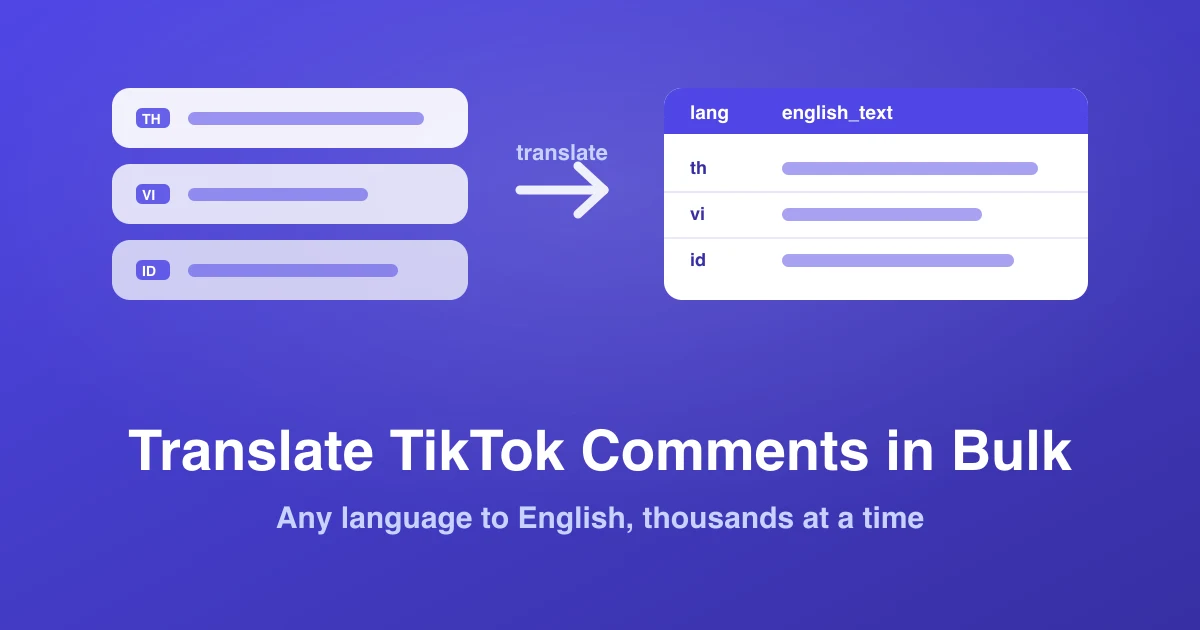
If your TikTok audience is in Southeast Asia, Latin America, or the Middle East, the most useful half of your comment section is in a language you do not read. TikTok's answer is a "See translation" link — one comment, one tap, one at a time. That works for reading three comments. It does not work for reading three thousand.
This guide covers the bulk approach: export the whole comment section once, then translate the entire column at once in Google Sheets, Excel, or with an AI model — and, just as importantly, which comments you should not trust a machine to translate.
Why in-app translation doesn't scale
TikTok's built-in translation is a reading aid, not a research tool. Three limits make it useless for analysis:
- One comment per tap. There is no "translate all," and the translation disappears when you scroll away.
- Nothing is saved. You cannot sort, count, or search what you translated. Two hundred taps later you still have no dataset.
- It skips the metadata. The translation tells you what a comment says, not how many likes it got, when it was posted, or whether it is one of forty near-identical comments asking the same thing.
The fix is to invert the order: get the data out first, translate second. Once the comments are in a spreadsheet, translation becomes a single column formula, and everything else — counting, sorting, filtering by language — becomes possible at the same time.
Step 1: export the comments
Paste any public TikTok video URL into the TikTok comment exporter and download the file. Three columns matter for this job:
text— the raw comment, UTF-8, emoji and alllanguage— TikTok's own detected language code for that comment (en,th,vi,id,ms,ar,zh,pt…)likes— so you can translate the comments that actually matter first
That language column is the whole trick to keeping this cheap. It comes from TikTok's own detection, is already there before you spend a cent on translation, and lets you skip every row you can already read. The same pipeline works for Instagram, Facebook, YouTube and the rest — every platform's clean export carries a language field.
Free tier: 3 videos a day, no signup. That is enough to translate a full comment section end to end before deciding whether you need the 3-Day Pass for bulk work.
Step 2: get the file open without breaking the text
This step is skippable in Google Sheets and mandatory in Excel.
Google Sheets (recommended for translation)
File → Import → Upload, separator type Comma. Sheets reads UTF-8 natively, so Thai, Arabic, Chinese and emoji all land correctly. Sheets is the right choice here because GOOGLETRANSLATE only exists in Sheets.
Excel
Do not double-click the CSV — Excel guesses the encoding and mangles non-Latin scripts into question marks. Instead: open Excel first, then Data → From Text/CSV, set File Origin to 65001: Unicode (UTF-8) and Delimiter to Comma. Or skip the whole issue by downloading the .xlsx format instead of CSV — it carries encoding internally. Full detail in exporting TikTok comments to Excel.
Step 3: translate only what you need
Before writing a single formula, filter. On a typical video with a mixed audience, 40–70% of comments are already in a language you read, and translating them is pure waste — of time, of API quota, and of the rate limit you are about to hit.
Add a filter on the language column and deselect your own language. What remains is the actual translation job. To see the split first:
=QUERY(A1:K5000, "select K, count(K) group by K order by count(K) desc label count(K) 'comments'")
Point that at your language column and you get a ranked language breakdown of the comment section in one cell — which, incidentally, is a useful audience insight by itself. If most of a "US" creator's comments come back id and vi, that tells you something about their real audience that their media kit does not. That is the same logic behind our media kit vs. real audience guide.
Step 4: translate the column
Option A — Google Sheets, free, up to a few thousand rows
With comment text in column D:
=GOOGLETRANSLATE(D2, "auto", "en")
Fill down. The "auto" source tells Sheets to detect the language per row, so a mixed-language sheet needs no sorting. If you would rather trust your own detection than TikTok's, =DETECTLANGUAGE(D2) returns a language code you can feed into the formula explicitly.
Two practical warnings. First, GOOGLETRANSLATE is rate-limited in Sheets — past a few hundred simultaneous calls, rows start returning errors. Work in batches: translate 300 rows, select them, Copy → Paste special → Values only, then do the next 300. Pasting as values also stops the whole sheet re-translating every time it recalculates. Second, empty cells throw errors, so wrap it: =IF(D2="", "", IFERROR(GOOGLETRANSLATE(D2,"auto","en"), "retry")).
Option B — Excel's TRANSLATE function
Microsoft 365 has a native =TRANSLATE(D2, "", "en") function backed by Microsoft Translator. It works the same way and has the same batching caveat. On older Excel versions there is no built-in equivalent — use Sheets for the translation pass and bring the result back, or go to Option C.
Option C — an AI model on the exported file
For anything past a few thousand rows, or for slang-heavy comment sections, hand the CSV to an LLM. This is usually both cheaper and more accurate than a dedicated translation API on social text, because the model can use surrounding comments as context and knows what "sana all" and "ngl it slaps" mean.
A prompt that works:
Here is a CSV of TikTok comments with columns author, text, likes, language. Add a column english_text with a natural English translation of each comment. Preserve emoji. Where the comment is slang or code-switched, translate the intent rather than word-for-word, and add a short note in a slang_note column. Return the full CSV.
Do it in chunks of a few hundred rows so nothing gets truncated. If you would rather not run this yourself, ZocialComment's built-in AI analysis reads multilingual comment sections directly and reports themes, sentiment and buyer intent in English without a separate translation step.
Option D — a translation API
If this is a recurring pipeline rather than a one-off, Google Cloud Translation and DeepL's API both bill per character and both have free tiers that comfortably cover a few comment sections a month. DeepL tends to read more naturally on European languages; Google covers far more of Southeast Asia. Since comments average well under 100 characters, the arithmetic is friendlier than people expect — 10,000 comments is roughly 700,000 characters, which is a low single-digit dollar amount on either service.
Where machine translation still fails
This is the part most guides skip, and it is the part that will embarrass you in a client report. Machine translation is trained overwhelmingly on formal, well-formed text. TikTok comments are the opposite of that, and accuracy drops accordingly. Research on code-switched text in NLP has documented this gap for years: systems that score well on news text degrade sharply on mixed-language, informal input.
Watch for these five categories:
- Code-switching. Taglish (Tagalog + English), Manglish (Malay + English), Hinglish and Singlish routinely produce translations that are grammatically fine and semantically wrong, because the engine commits to one language and mistranslates the other half.
- Romanized scripts. Thai, Arabic, Hindi and Russian typed in Latin characters frequently defeat language detection entirely — the row comes back tagged
enand gets left untranslated, or gets "translated" into nonsense. - Platform slang. Every engine will translate a literal meaning for terms whose real sense is TikTok-specific. Sentiment inversion is the common failure: an enthusiastic slang phrase becomes a neutral or negative literal one.
- Emoji as meaning. A comment that is 💀💀💀 or 🔥🔥 carries real sentiment and translates to nothing. Do not drop emoji-only rows — count them separately as a sentiment signal.
- Sarcasm. Universal problem, worse across languages, and comment sections run on it.
The practical mitigation is cheap: sort your translated sheet by likes descending and read the top 50 rows by hand against the original text column. Those are the comments most likely to end up quoted in a deck, and hand-checking 50 rows takes ten minutes. Always keep the original text column beside the translation — never overwrite it.
What to do with a translated comment set
Country-level sentiment
Pivot translated sentiment against the language column and you get sentiment by market, not sentiment in aggregate. A product that reads 80% positive overall can be 60% negative in one market — usually over shipping, sizing or price — and that detail is invisible in a single blended score. This is the core of a proper social listening report built from real comments.
Market prioritisation
The language distribution of a comment section is a decent free proxy for where organic demand already exists. Sellers running the SEA playbook in our guides on Indonesia, Vietnam and Malaysia use exactly this signal to decide which market gets localised creative first.
Support triage
Translate, then filter for question marks and complaint keywords. You get a prioritised, English-readable queue of the issues a non-native-speaking team can actually action — with the original text kept alongside so whoever replies can answer in the commenter's language.
Faster UGC mining
Genuine testimonial comments in other languages are usually the most under-used asset in a comment section, because nobody on the marketing team can read them. Translate first, then shortlist — the workflow in mining TikTok comments for UGC applies unchanged once the language barrier is gone.
A worked example: 3,000 comments, four languages
To make the workflow concrete, here is a real-shaped job — a product video from a Malaysian seller with roughly 3,000 comments.
- Export (about 40 seconds). Download as CSV, replies off — for a first-pass language read, top-level comments are enough.
- Language breakdown (one formula). The
QUERYabove returns:en1,180,ms940,zh520,id310, remainder scattered. Immediately useful before a word is translated — the audience is not the single-market audience the seller assumed. - Filter. Deselect
en. The translation job just shrank from 3,000 rows to about 1,800. - Translate in batches. Six passes of 300 rows through
GOOGLETRANSLATE, pasting values after each. Around fifteen minutes of mostly waiting. - Sort by likes and hand-check the top 50. In a mixed Malay/English comment section, expect to correct a handful — Manglish rows are where the errors cluster.
- Read it as one dataset. Now every comment is searchable in one language: count the shipping questions, count the sizing complaints, pull the testimonials.
Total elapsed time is well under an hour, and the output is something you can hand to someone who reads none of the four languages. The alternative — tapping "See translation" 1,800 times — is not an alternative.
A note on non-Latin scripts and files
Two encoding rules will save you an afternoon. Always keep the file in UTF-8 — it is the encoding the W3C recommends for all content, and it is what every ZocialComment export produces. And when you re-save a translated sheet out of Excel, choose CSV UTF-8 explicitly rather than plain CSV, or Excel will silently write the file in a legacy codepage and turn every Thai and Arabic character into a question mark on the way out.
Right-to-left languages (Arabic, Urdu, Hebrew) display correctly in Sheets and Excel but can look scrambled in plain-text editors that do not handle bidirectional text. That is a viewer problem, not a data problem — the bytes are fine.
One last habit worth forming: keep the untranslated export. Translation is lossy and engines change their output over time, so the original file is the only version you can re-run a better model against next quarter. Store the raw CSV alongside the translated sheet and treat the translation as a derived column, not as the record. Paid exports stay downloadable for 30 days, but a copy in your own drive costs nothing and outlives every retention policy.
Related reading
- How to analyse TikTok comments — what to do after translating
- TikTok comment sentiment analysis
- Exporting TikTok comments to Google Sheets
- TikTok Comment Downloader — 3 free exports a day, no signup