Instant YouTube Comment Exporter
Paste any YouTube video URL — download every comment to CSV, Excel, or JSON in seconds. Works on videos, Shorts, and live recordings. No Google login required.
10,500+
users
10,800+
exports delivered
2.5M+
comments in 30 days
How to export YouTube comments without an API key
Paste the YouTube video, Shorts or live-recording URL into ZocialComment, check the comment count, and download every comment and reply as CSV, Excel or JSON. No YouTube Data API key, no quota and no Google login are needed, and the first 100 comments of any video are free with no signup.
- Copy the video link (youtube.com/watch, youtu.be or /shorts/).
- Paste it into the box above and click Export Comments.
- Download the comments as CSV, Excel or JSON; replies carry a reply_level column so the thread can be rebuilt.
- With a pass, paste up to 20 links, one per line, and get one file per video.
The whole export, start to finish
Three screenshots of the actual tool exporting a real YouTube post — not a mockup, not a redesign of what we wish it looked like.
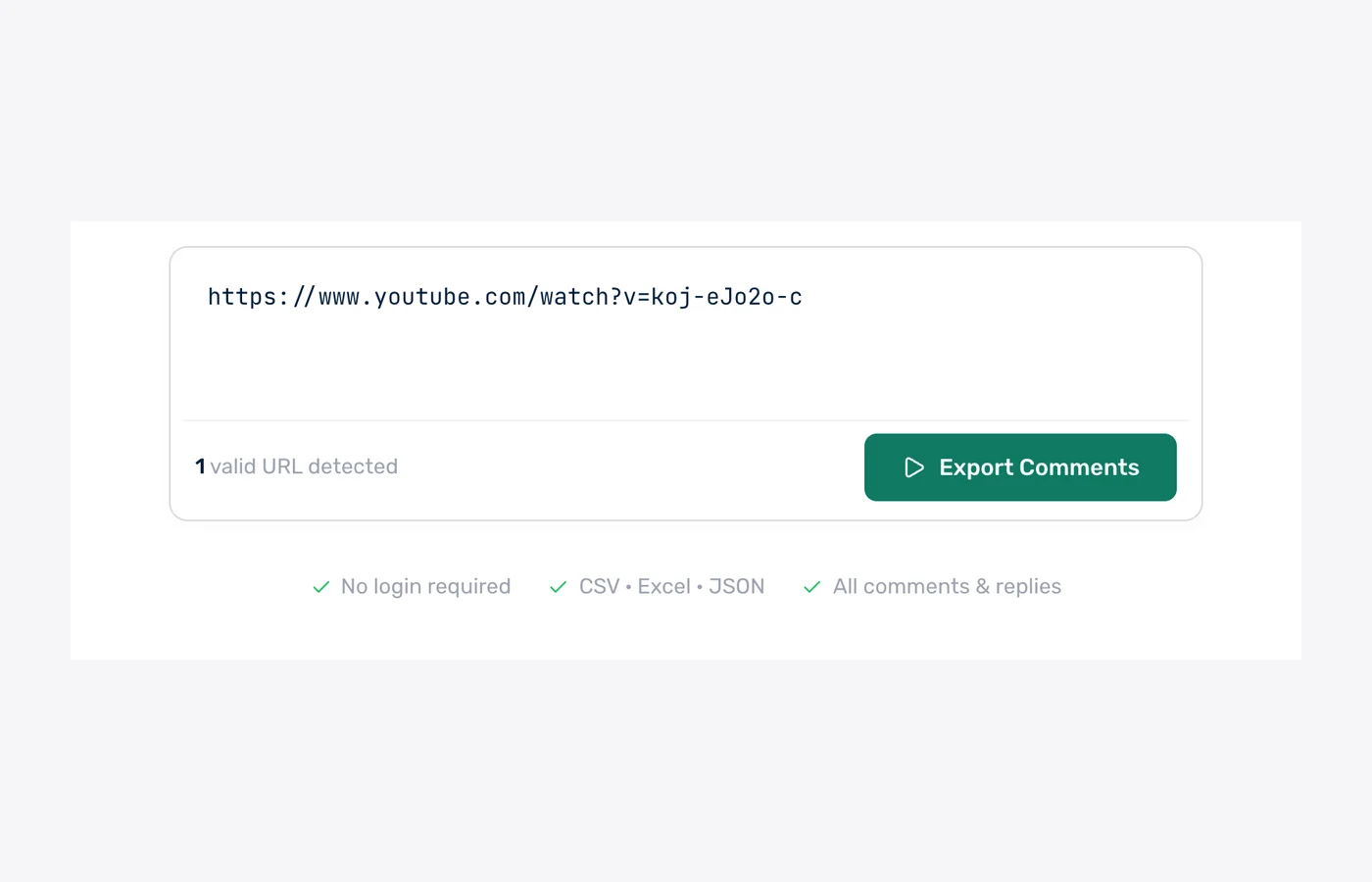
1. Paste the video URL
One YouTube video link — watch, youtu.be or Shorts. No API key, no quota to manage.
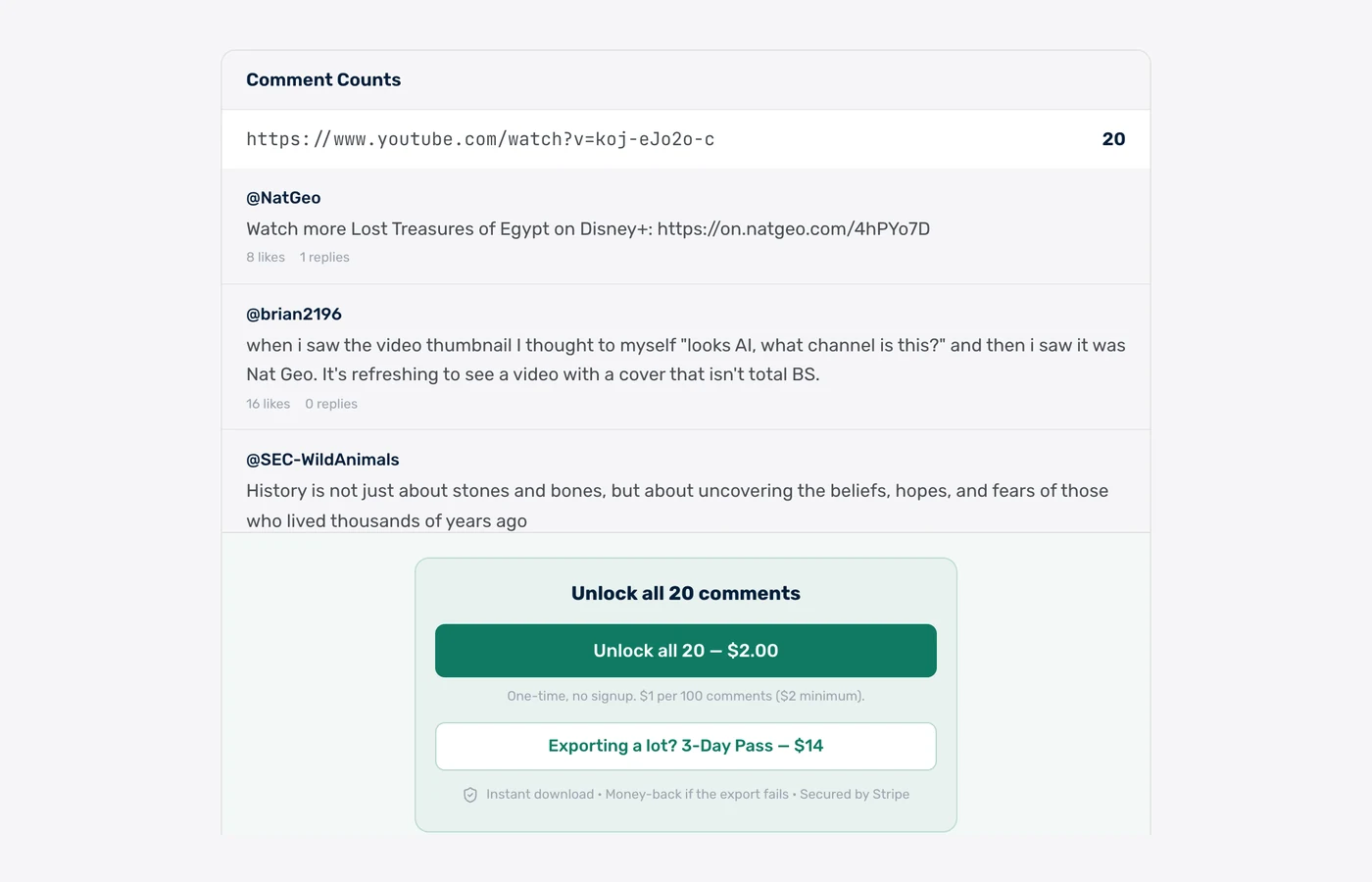
2. See the real count first
We count the video and show you live comments before you pay a cent — so you know exactly what you are getting.
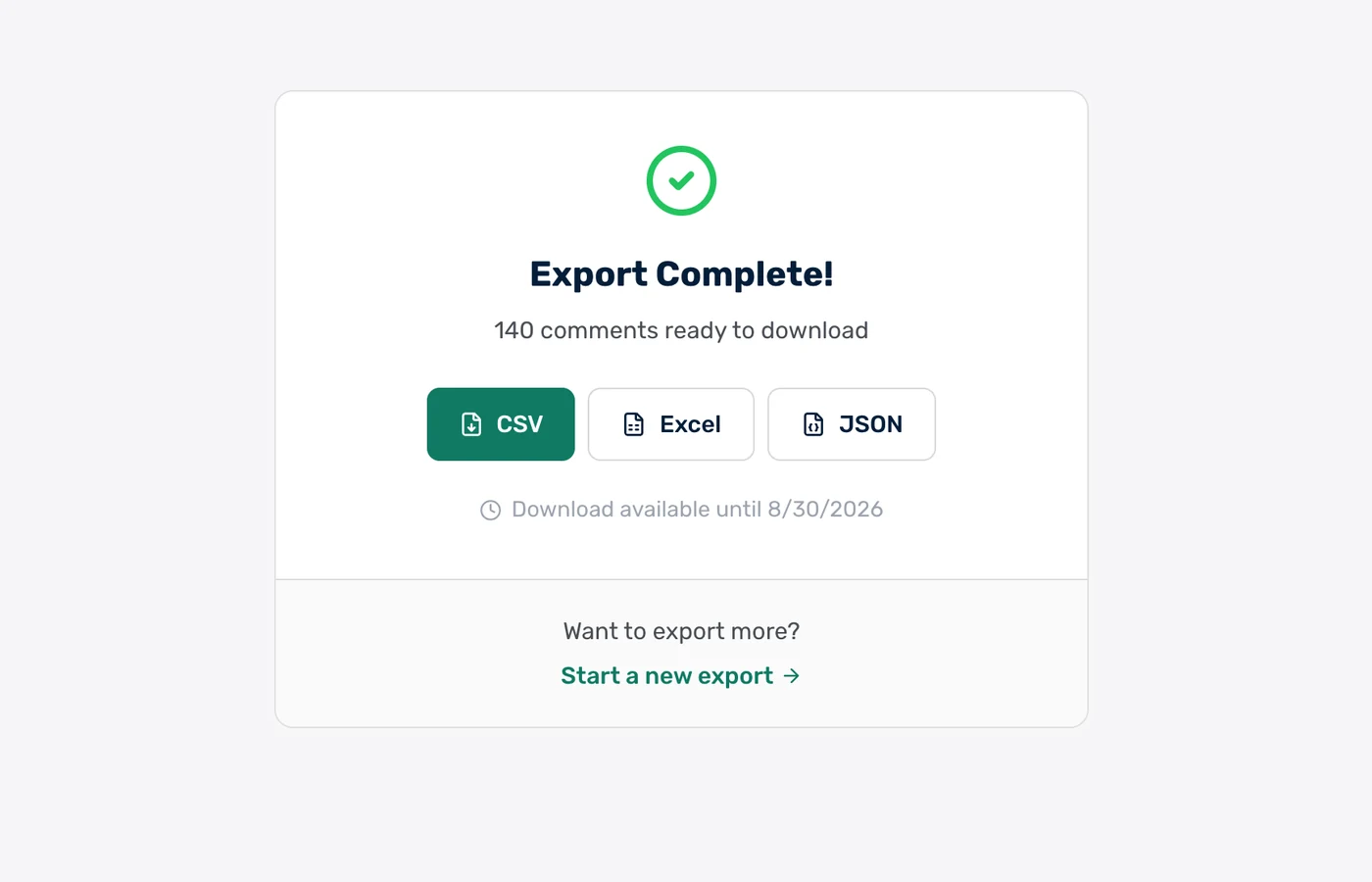
3. Download CSV, Excel or JSON
The finished file, in the format you want. Paid exports stay downloadable for 30 days.
Real rows from a real export
These are unedited comments from a public @NatGeo video we exported on 31 July 2026 — 140 comments including replies, pulled in under a minute.
| username | author | text | likes | replies |
|---|---|---|---|---|
| @jaime8317 | @jaime8317 | The guy is talking like the sphinx was built what THAT head originally lol | 33 | 2 |
| @munkyjacks1192 | @munkyjacks1192 | Grave robbers. This is why we don't bury our dead with valuables anymore. | 21 | 1 |
| @Movieland33012 | @Movieland33012 | @15:34 maybe he really loved his dog | 11 | 0 |
| @NatGeo | @NatGeo | Watch more Lost Treasures of Egypt on Disney+: https://on.natgeo.com/4hPYo7D | 8 | 1 |
| @GugalsuxAndUtubetoo | @GugalsuxAndUtubetoo | Why do they not unbury the other Sphinx? I hope they know there are more than one | 5 | 1 |
| @Hammern28 | @Hammern28 | " Next episode: Sand. Amazing discovery of sand! Everywhere! " | 3 | 0 |
Clean mode ships 11 columns — these plus timestamp, comment ID, reply parent ID and pinned flag. Raw mode adds channel ID, channel URL, verified and creator flags.
Every comment includes 12+ fields
Clean mode: 17 columns optimized for humans. Raw mode: full YouTube comment metadata.
How fast is the YouTube comment export? Measured on 61 real exports
ZocialComment delivers a free 100-comment YouTube export in a median of 2 seconds, measured across 61 real YouTube exports run between 8 September and 8 October 2026. 83% of free exports finish in under 10 seconds, and counting the comments before you pay takes a median of under 1 second.
2 sec
median time to a 100-comment free file
83%
of free exports finish in under 10 seconds
under 1 sec
to count the comments before you pay
61
YouTube exports measured, 4,898 comments
Export time by size — 61 YouTube exports, 8 Sep – 8 Oct 2026
Time from starting the export to the file being ready. Counting runs first.
| Comments exported | Exports | Median time | 90% finish within |
|---|---|---|---|
| First 100 comments (free) | 36 | 2 seconds | 14 seconds |
| Up to 1,000 comments | 24 | 1 second | 16 seconds |
Timings come from ZocialComment's own export logs. Bigger posts take longer because YouTube serves comments a page at a time.
Built for people who actually use the data
Not just a comment dump — the fields, filters, and formats real workflows need.
CSV, Excel & JSON
Download every comment in the format you need. CSV opens cleanly in Excel and Sheets. JSON is ready for data pipelines.
Videos, Shorts & Live
Works on every public YouTube URL — long-form videos, Shorts, livestream chats, and live recordings.
Top or Newest Order
YouTube exposes both ordering modes — we surface them so you can export top-rated comments separately from chronological.
Creator + Verified Flags
See which comments are from the channel owner or verified accounts. Two extra columns ready for filtering.
No Google Login
We never ask for your Google or YouTube credentials. Public data only — your account stays safe.
AI Sentiment (Paid Tier)
Upgrade to add AI sentiment classification and a one-paragraph comment summary. Skip reading 5,000 comments — see the takeaway instantly.
Export YouTube comments in 3 steps
Paste the URL
Drop any public YouTube URL into the box above.
We fetch the comments
Live progress over WebSocket — see comments arriving in real time, no waiting in the dark.
Download CSV, Excel, or JSON
One click — the file is on your computer. Open in Excel, Sheets, or pipe into your script.
Export the comments. Let AI read them for you.
Download the CSV, drop it into ChatGPT, Claude or Gemini, and paste one of these prompts. Thousands of comments, answered in seconds.
Research & sentiment
Find out what people actually say in your YouTube comments — top themes, questions, complaints, and how the mood splits.
Check giveaway rules
Let the AI flag who followed the rules — tagged enough friends, commented once, used the keyword — before you draw a winner.
Change the rules or questions to fit your post — the AI only needs the file and plain English.
Who exports YouTube comments?
Creator Analytics
Export comments on your top videos to find the questions, feedback, and requests driving real conversation with your audience.
Brand Reputation
Track sentiment on videos that mention your brand or product. Detect issues early, find UGC, surface advocate accounts.
Influencer Vetting
Before sponsoring a YouTuber, export comments from their last 5 videos. Look for real engagement quality vs bot patterns.
Market Research
Analyze how audiences discuss a product launch, news event, or competitor. Comments are raw consumer voice at scale.
Customer Insights
Mine product-review and tutorial videos for the exact pain points your prospects are searching to solve.
Academic Research
Collect YouTube comment corpora for discourse analysis, sentiment studies, and media research papers — full Unicode.
What we do — and don't do — with your data
The short version: we never touch your YouTube account, and we don't keep your exports around.
We never ask for your YouTube password
No login, no OAuth to your account, no browser extension reading your session. We only read public posts — the same data anyone sees without logging in.
Payments handled by Stripe
Card details go straight to Stripe and never touch our servers. One-time payments only — no subscription, no auto-renew, nothing to cancel later.
Money back if the export fails
If a paid export does not deliver the comments, email us and we refund it. You also see the exact comment count before you pay, so there are no surprises.
Your exports get deleted
Free exports are removed after 24 hours, paid exports after 30 days. We do not sell exported comment data or share it with anyone.
Nothing is posted from your account
The tool only reads. It never comments, likes, follows, or messages anyone — there is no account of yours for it to act from.
Public data only
Private accounts and posts you cannot see in a logged-out browser are not exportable, by design.
Free to start. Pay only when you need volume.
First 100 comments of any post are free — no signup, no card. Then $1 per 100 comments ($3 minimum per export), or grab an unlimited pass when you need volume.
Free
First 100 comments per post
- No signup required
- 3 free exports a day
- Then $1 per 100 comments ($3 min)
- Unlimited giveaway picks
You're on Free. Paste a link above.
3-Day Pass
Up to 10,000 comments per post
- Export 20 links at once
- Unlimited posts for 3 days
- Unlimited giveaway picks
- One-time, no subscription
3-Day Pro Pass
Up to 100,000 comments per post
- Export 20 links at once
- Unlimited posts for 3 days
- Unlimited giveaway picks
- One-time, no subscription
Both passes include
Frequently Asked Questions
Everything people ask before exporting YouTube comments for the first time.