Instant Facebook Comment Exporter
Paste any public Facebook page post, Reel, or video URL — download every comment with all 7 reaction counts to CSV, Excel, or JSON. No Facebook login required.
10,500+
users
10,800+
exports delivered
2.5M+
comments in 30 days
How to export Facebook comments without the Graph API
Paste the public Facebook post, Reel or video URL into ZocialComment and download every comment as CSV, Excel or JSON, with all seven reaction counts per row. No Facebook login, Page admin role, developer app or Graph API token is needed, and the first 100 comments of any post are free with no signup.
- Copy the link of a public Page post, public group post, Reel or video (fb.watch links work too).
- Paste it into the box above and click Export Comments.
- Download the comments as CSV, Excel or JSON; like, love, haha, wow, sad, anger and care each get their own column.
- With a pass, paste up to 20 links, one per line, and get one file per post.
The whole export, start to finish
Three screenshots of the actual tool exporting a real Facebook post — not a mockup, not a redesign of what we wish it looked like.
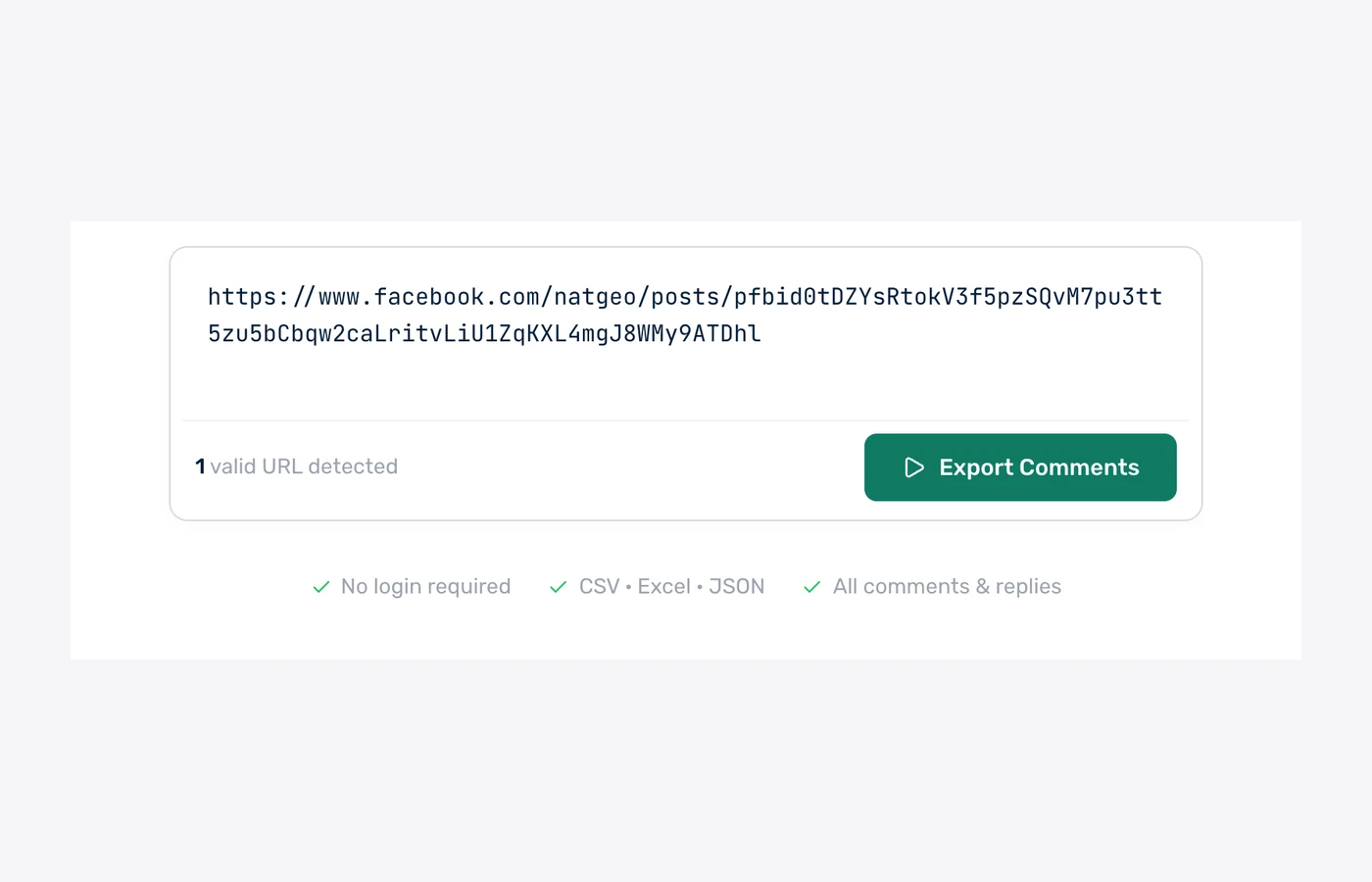
1. Paste the post URL
One Facebook post, video or reel link. No login, no Graph API app, no page admin access needed.
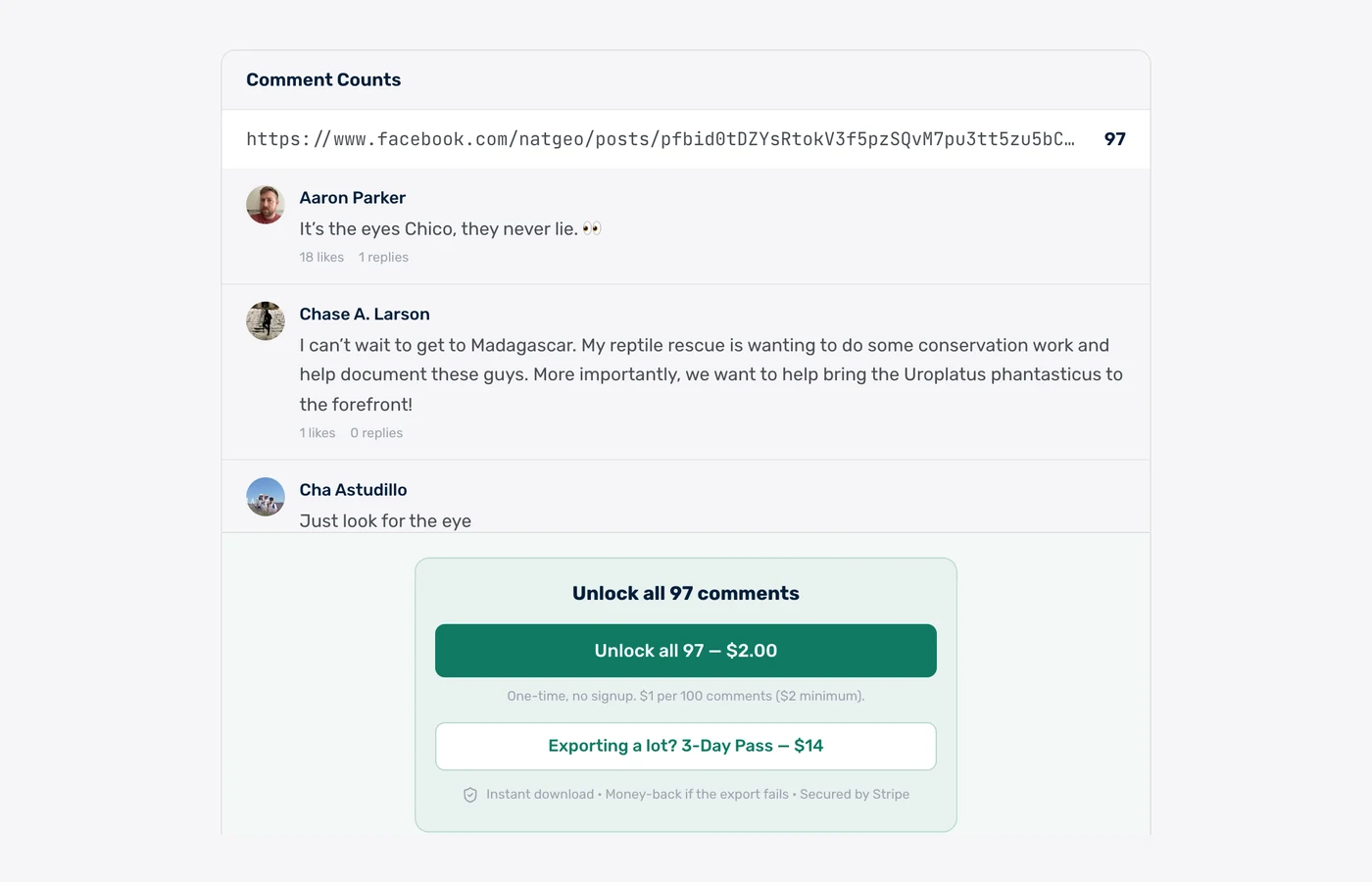
2. See the real count first
We count the post and show you live comments before you pay a cent — so you know exactly what you are getting.
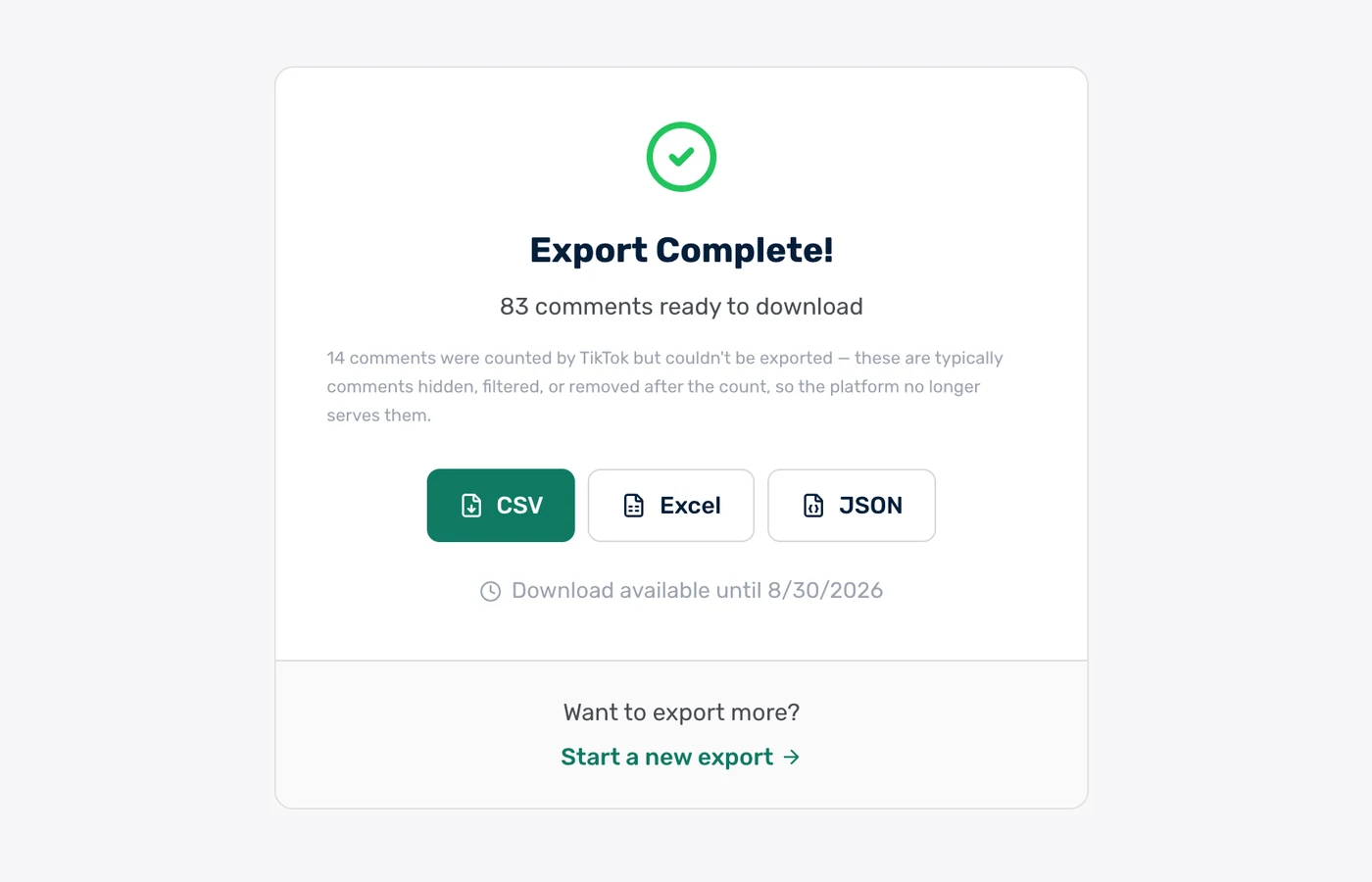
3. Download CSV, Excel or JSON
The finished file, in the format you want. Paid exports stay downloadable for 30 days.
Real rows from a real export
These are unedited comments from a public @natgeo post we exported on 31 July 2026 — 97 comments, pulled in under a minute.
| username | author | text | likes | replies |
|---|---|---|---|---|
| @Nicole | Nicole Christiani | Head facing downwards on the left side of the branch | 1 | 0 |
| @Cha | Cha Astudillo | Just look for the eye | 1 | 0 |
| @Ellen | Ellen Zachary | Such masters of disguise | 1 | 0 |
| @Didi | Didi Virden | Amazing to find one in the wild. | 1 | 0 |
| @Donna | Donna Tong | Thanks camouflage nice photo Nearly can't find | 1 | 0 |
| @Lyle | Lyle Andres | Right away. Very good camouflage though. | 0 | 0 |
Clean mode ships 11 columns — these plus timestamp, comment ID, reply parent ID, pinned flag and language. Raw mode adds every reaction breakdown (like, love, haha, wow, sad, angry, care).
Every comment includes 15+ fields
Clean mode: 17 columns optimized for humans. Raw mode: 16 fields with all 7 reaction breakdowns.
How fast is the Facebook comment export? Measured on 970 real exports
ZocialComment delivers a free 100-comment Facebook export in a median of 8 seconds, measured across 970 real Facebook exports run between 8 September and 8 October 2026. 78% of free exports finish in under 10 seconds, and counting the comments before you pay takes a median of 2 seconds.
8 sec
median time to a 100-comment free file
78%
of free exports finish in under 10 seconds
2 sec
to count the comments before you pay
970
Facebook exports measured, 675,765 comments
Export time by size — 970 Facebook exports, 8 Sep – 8 Oct 2026
Time from starting the export to the file being ready. Counting runs first.
| Comments exported | Exports | Median time | 90% finish within |
|---|---|---|---|
| First 100 comments (free) | 489 | 8 seconds | 15 seconds |
| Up to 1,000 comments | 441 | 11 seconds | 52 seconds |
| 1,000 – 5,000 comments | 24 | 3.1 minutes | 4.9 minutes |
| Over 10,000 comments | 16 | 51 minutes | 60 minutes |
Timings come from ZocialComment's own export logs. Bigger posts take longer because Facebook serves comments a page at a time.
Built for people who actually use the data
Not just a comment dump — the fields, filters, and formats real workflows need.
CSV, Excel & JSON
Download every comment in the format you need. CSV opens cleanly in Excel and Sheets. JSON is ready for data pipelines.
Posts, Groups, Reels, Videos
Works on every public Facebook URL — page posts, public group posts, Reels, watch videos, and permalinks. fb.watch short links work too.
All 7 Reactions Per Row
Like, love, haha, wow, sad, anger, care — each reaction count is its own column. Aggregate sentiment without parsing emoji.
Reply & Reaction Filter
Filter to top-level comments only, or only comments with N+ reactions. Trim the noise before downloading.
No Facebook Login
We never ask for your Facebook credentials. Public page-post data only — your personal account stays private.
AI Sentiment (Paid Tier)
Upgrade to add AI sentiment classification and a one-paragraph thread summary across all 7 reaction types.
Export Facebook comments in 3 steps
Paste the URL
Drop any public Facebook URL into the box above.
We fetch the comments
Live progress over WebSocket — see comments arriving in real time, no waiting in the dark.
Download CSV, Excel, or JSON
One click — the file is on your computer. Open in Excel, Sheets, or pipe into your script.
Export the comments. Let AI read them for you.
Download the CSV, drop it into ChatGPT, Claude or Gemini, and paste one of these prompts. Thousands of comments, answered in seconds.
Research & sentiment
Find out what people actually say in your Facebook comments — top themes, questions, complaints, and how the mood splits.
Check giveaway rules
Let the AI flag who followed the rules — tagged enough friends, commented once, used the keyword — before you draw a winner.
Change the rules or questions to fit your post — the AI only needs the file and plain English.
Who exports Facebook comments?
Page Engagement Reports
Export comments from your brand's page posts to build engagement reports. Track sentiment shifts campaign-by-campaign.
Competitor Page Audits
Pull comments from competitors' page posts. See what their customers complain about — and pitch them directly.
Customer Service Triage
Export comments on customer-facing posts to surface unanswered questions and complaints buried in 5,000-comment threads.
Influencer Vetting
Before partnering with a Facebook creator, export comments to verify audience match and detect bot ratios.
Crisis Monitoring
When a post goes viral (positively or negatively), export comments fast for real-time sentiment tracking and response.
Market Research
Comment threads on news pages, brand pages, and community groups reveal authentic consumer reaction at scale.
What we do — and don't do — with your data
The short version: we never touch your Facebook account, and we don't keep your exports around.
We never ask for your Facebook password
No login, no OAuth to your account, no browser extension reading your session. We only read public posts — the same data anyone sees without logging in.
Payments handled by Stripe
Card details go straight to Stripe and never touch our servers. One-time payments only — no subscription, no auto-renew, nothing to cancel later.
Money back if the export fails
If a paid export does not deliver the comments, email us and we refund it. You also see the exact comment count before you pay, so there are no surprises.
Your exports get deleted
Free exports are removed after 24 hours, paid exports after 30 days. We do not sell exported comment data or share it with anyone.
Nothing is posted from your account
The tool only reads. It never comments, likes, follows, or messages anyone — there is no account of yours for it to act from.
Public data only
Private accounts and posts you cannot see in a logged-out browser are not exportable, by design.
Free to start. Pay only when you need volume.
First 100 comments of any post are free — no signup, no card. Then $1 per 100 comments ($3 minimum per export), or grab an unlimited pass when you need volume.
Free
First 100 comments per post
- No signup required
- 3 free exports a day
- Then $1 per 100 comments ($3 min)
- Unlimited giveaway picks
You're on Free. Paste a link above.
3-Day Pass
Up to 10,000 comments per post
- Export 20 links at once
- Unlimited posts for 3 days
- Unlimited giveaway picks
- One-time, no subscription
3-Day Pro Pass
Up to 100,000 comments per post
- Export 20 links at once
- Unlimited posts for 3 days
- Unlimited giveaway picks
- One-time, no subscription
Both passes include
Frequently Asked Questions
Everything people ask before exporting Facebook comments for the first time.