Instant TikTok Comment Exporter
Paste any TikTok video URL — download every comment to CSV, Excel, or JSON in seconds. No login, no TikTok password, no rate-limit setup.
We're a team that reverse-engineers TikTok — scraping everything TikTok exposes, faster than anyone.
10,500+
users
10,800+
exports delivered
2.5M+
comments in 30 days
The whole export, start to finish
Three screenshots of the actual tool exporting a real TikTok video — not a mockup, not a redesign of what we wish it looked like.
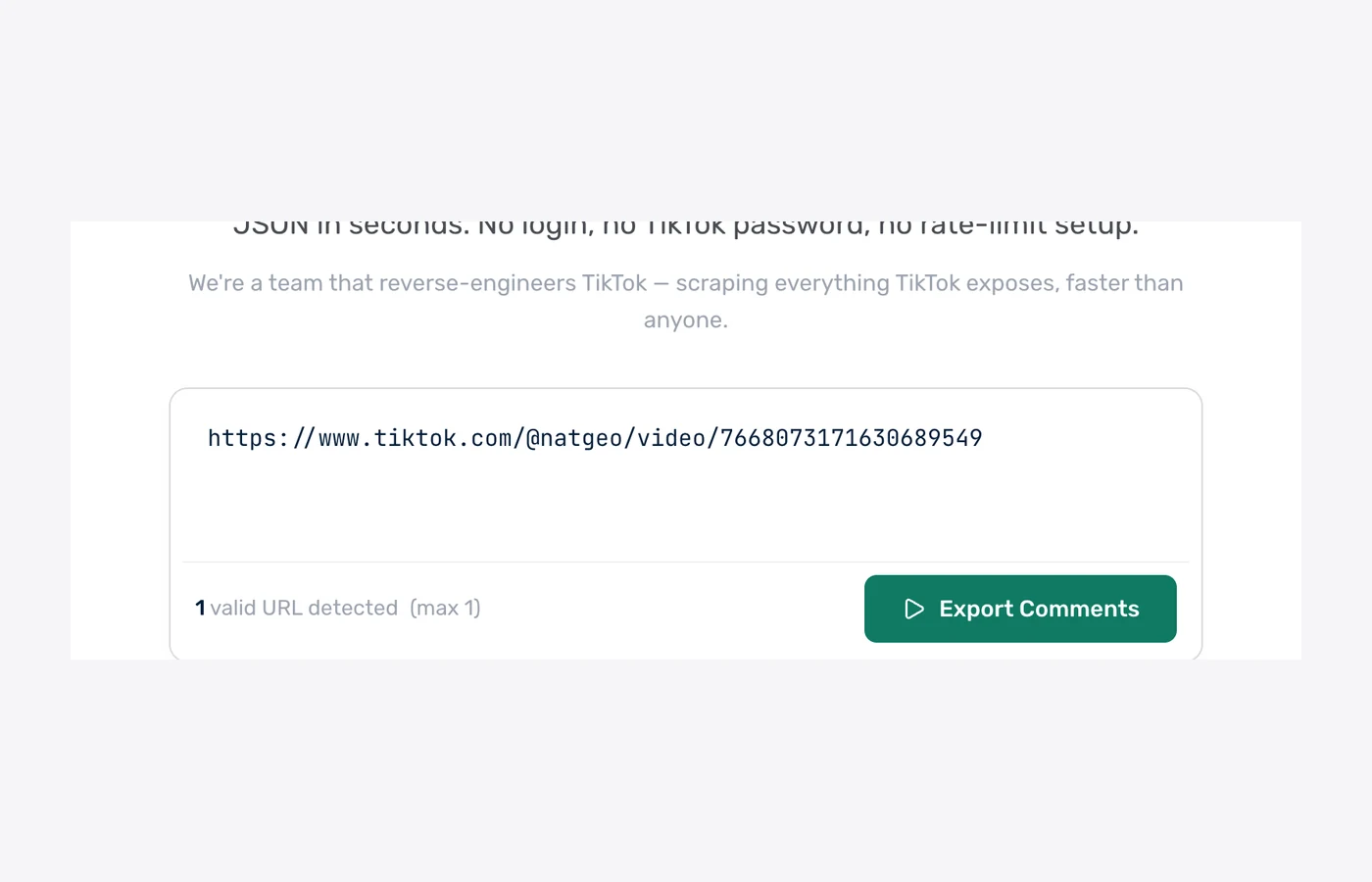
1. Paste the video URL
One TikTok video or photo link — short vt.tiktok.com links work too. No login, no API key, no software to install.
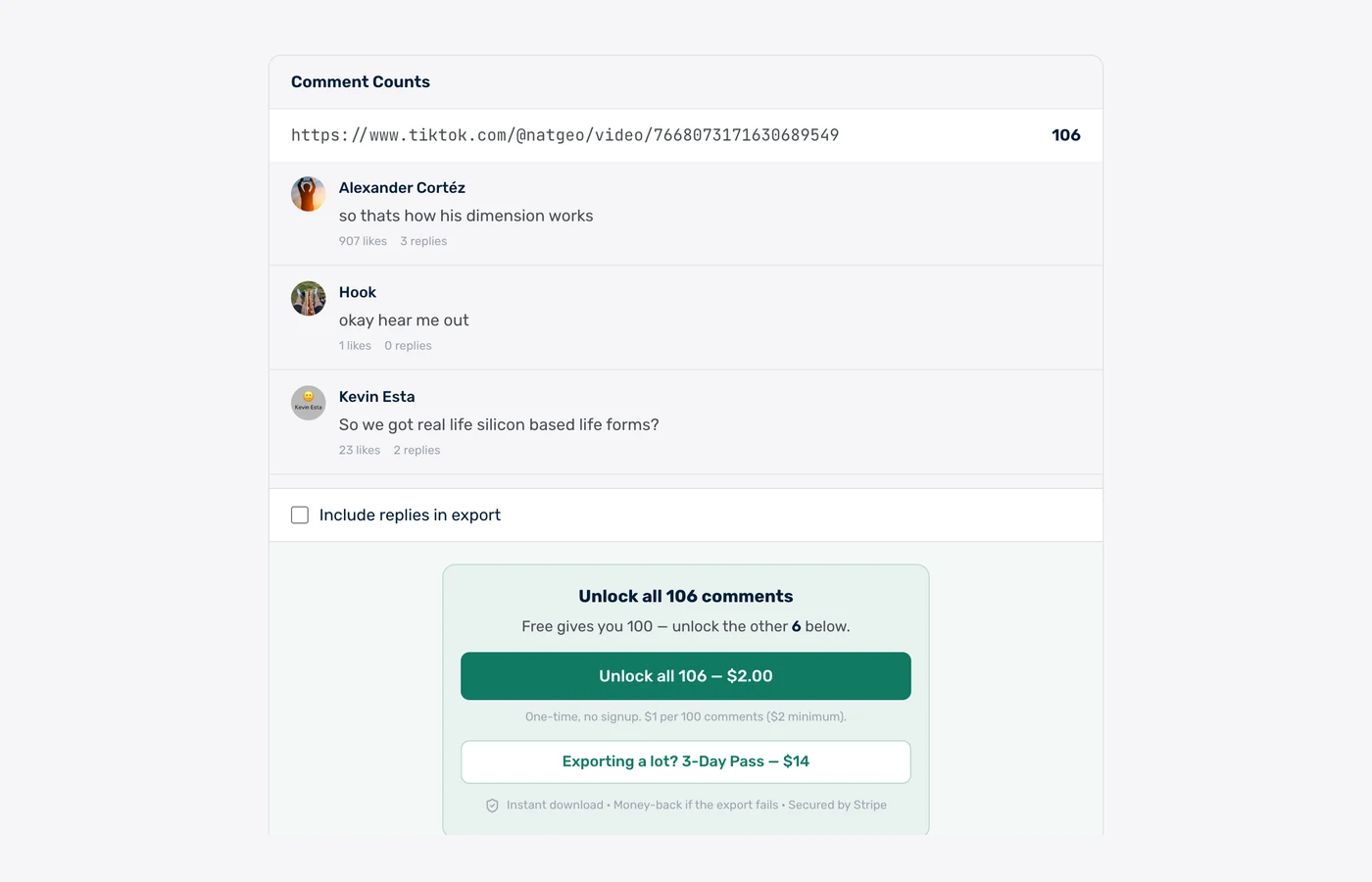
2. See the real count first
We count the video and show you live comments before you pay a cent — and you choose whether replies come along.
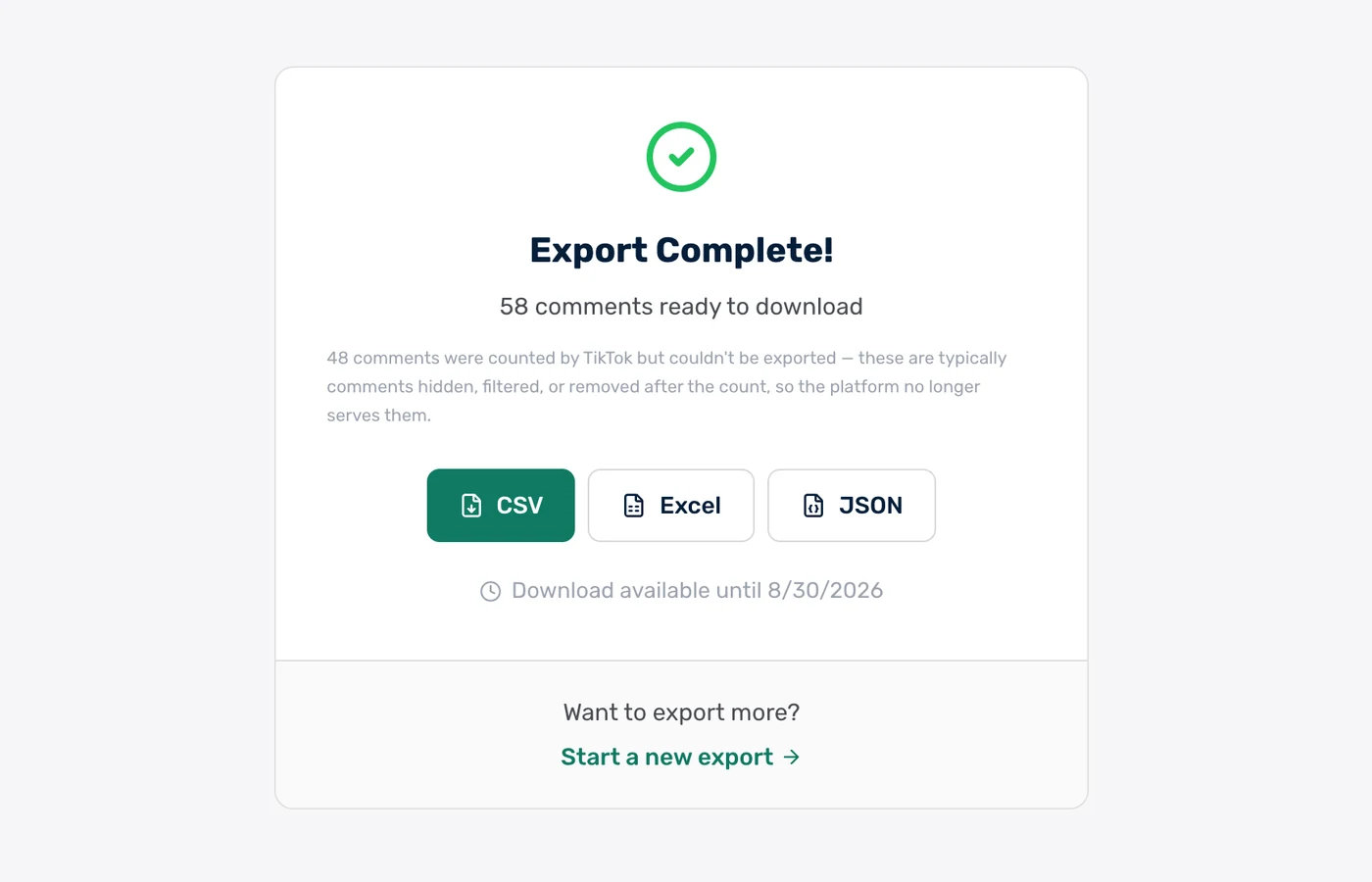
3. Download CSV, Excel or JSON
The finished file, in the format you want. Paid exports stay downloadable for 30 days.
Real rows from a real export
These are unedited comments from a public @natgeo video we exported on 18 August 2026 — 271 comments, pulled in under a minute.
| username | author | text | likes | replies | language |
|---|---|---|---|---|---|
| @alexandercortz77 | Alexander Cortéz | so thats how his dimension works | 4238 | 11 | en |
| @imxor | x o r | We grind them up and sell them at home depot by the way, it’s called diatomaceous earth | 3745 | 41 | en |
| @beekalba | Bee 🐝 | Is this what diatomaceous earth is? | 1035 | 5 | en |
| @namedmichael | NamedMichael | Quite poetic that it’s only visible when you zoom in or zoom out. | 889 | 20 | en |
| @kevinddweeb | Kevin Esta | So we got real life silicon based life forms? | 92 | 9 | en |
| @oops.allrats | oops.allrats | this vexes me | 23 | 3 | en |
Clean mode ships 15 columns — these plus timestamp, comment ID, reply parent ID, pinned flag, sentiment and purchase intent. Raw mode adds 45+ TikTok API fields.
Every comment includes 15+ fields
Clean mode: 15 columns optimized for humans. Raw mode: 45+ fields including all TikTok API metadata.
What exactly gets exported from a TikTok video?
Last updated: July 16, 2026
A TikTok comment exporter is a tool that collects every comment from a public TikTok video and saves them to a structured file — usually CSV, Excel, or JSON — so you can sort, filter, and analyze them outside the app. TikTok has no built-in export, and manually copying comments loses the metadata that makes the data useful. An exporter captures each comment's text, author, like count, reply count, timestamp, and language automatically, typically in under 30 seconds per video and without requiring your TikTok password.
When you export TikTok comments with ZocialComment, you get the full comment thread — not a truncated sample. We paginate through every comment TikTok serves publicly, including nested replies, and hand you back one clean file. Each row is a single comment with its text, author @username and display name, like count, reply count, and timestamp, plus the parent comment ID so you can rebuild the conversation tree exactly as it appears on the video.
Every export is available in three formats. CSV opens straight into Excel, Google Sheets, or Numbers with UTF-8 encoding, so emoji and non-Latin scripts (Thai, Vietnamese, Arabic, Chinese) stay intact. Excel (.xlsx) gives you a formatted workbook ready to filter and pivot. JSON preserves the nested reply structure and every metadata field — ideal if you're piping comments into an NLP or sentiment pipeline.
The exporter works on any public TikTok URL: standard /video/ posts, /photo/ carousels, and shortened vt.tiktok.com / vm.tiktok.com share links — no TikTok login, no developer API key, and no browser extension required. Paste a URL and every comment on that video is merged into a single download, so any video becomes one clean spreadsheet in a couple of minutes.
How fast is the TikTok comment export? Measured on 1,461 real exports
ZocialComment delivers a free 100-comment TikTok export in a median of 2 seconds, measured across 1,461 real TikTok exports run between 8 September and 8 October 2026. 78% of free exports finish in under 10 seconds, and counting the comments before you pay takes a median of under 1 second.
2 sec
median time to a 100-comment free file
78%
of free exports finish in under 10 seconds
under 1 sec
to count the comments before you pay
1,461
TikTok exports measured, 85,479 comments
Export time by size — 1,461 TikTok exports, 8 Sep – 8 Oct 2026
Time from starting the export to the file being ready. Counting runs first.
| Comments exported | Exports | Median time | 90% finish within |
|---|---|---|---|
| First 100 comments (free) | 445 | 2 seconds | 14 seconds |
| Up to 1,000 comments | 1,005 | under 1 second | 24 seconds |
| 1,000 – 5,000 comments | 10 | 1.5 minutes | 5.4 minutes |
Timings come from ZocialComment's own export logs. Bigger posts take longer because TikTok serves comments a page at a time.
Built for people who actually use the data
Not just a comment dump — the fields, filters, and formats real workflows need.
CSV, Excel & JSON
Download every comment in the format you need. CSV opens cleanly in Excel and Google Sheets. JSON is ready for data pipelines.
Videos, Photos & Replies
Works on every TikTok URL — /video/ and /photo/ posts. Threaded replies are included with their parent comment reference.
Filter Before You Export
Filter comments by date, minimum likes, language, or keyword. Export only the rows that matter, not 10,000 lines of noise.
Purchase Intent Flag
TikTok flags high-purchase-intent comments. We pass that through as a dedicated column — find buying signals without reading every line.
No Login. No Password.
We never ask for your TikTok credentials. Everything works on public videos using public data — your account stays safe.
AI Sentiment & KOL Vetting (Paid Tier)
Upgrade to add AI sentiment, audience demographics, spam detection, and KOL analytics on top of any export.
Export TikTok comments in 3 steps
Paste the URL
Drop any public TikTok video URL into the box above. Short share links (vt.tiktok.com) work too.
We fetch the comments
Live progress over WebSocket — see comments arriving in real time, no waiting in the dark.
Download CSV, Excel, or JSON
One click — the file is on your computer. Open in Excel, Sheets, or pipe into your script.
Export the comments. Let AI read them for you.
Download the CSV, drop it into ChatGPT, Claude or Gemini, and paste one of these prompts. Thousands of comments, answered in seconds.
Research & sentiment
Find out what people actually say in your TikTok comments — top themes, questions, complaints, and how the mood splits.
Check giveaway rules
Let the AI flag who followed the rules — tagged enough friends, commented once, used the keyword — before you draw a winner.
Change the rules or questions to fit your post — the AI only needs the file and plain English.
Who exports TikTok comments?
Influencer Marketers
Vet KOLs before signing — export comments from their last 5 videos, check real engagement quality, spam ratio, and audience language mix.
E-commerce Brands
Pull purchase-intent comments from product videos, identify hot leads, and find competitor videos where your audience hangs out.
Social Media Agencies
Build data-driven client reports from real comment data. Export any video in seconds and ship CSV deliverables in minutes not hours.
Market Researchers
Analyze consumer voice at scale — trend detection, sentiment shifts, language breakdowns. Raw text + metadata ready for NLP pipelines.
Content Strategy
See which themes resonate. Export comments from your top-performing videos to find the questions, requests, and pain points to lean into.
Academic Research
Collect TikTok comment corpora for discourse analysis, sentiment studies, and social media research papers — with full Unicode support.
What we do — and don't do — with your data
The short version: we never touch your TikTok account, and we don't keep your exports around.
We never ask for your TikTok password
No login, no OAuth to your TikTok account, no browser extension reading your session. We only read public videos — the same data anyone sees without logging in.
Payments handled by Stripe
Card details go straight to Stripe and never touch our servers. One-time payments only — no subscription, no auto-renew, nothing to cancel later.
Money back if the export fails
If a paid export does not deliver the comments, email us and we refund it. You also see the exact comment count before you pay, so there are no surprises.
Your exports get deleted
Free exports are removed after 24 hours, paid exports after 30 days. We do not sell exported comment data or share it with anyone.
Nothing is posted from your account
The tool only reads. It never comments, likes, follows, or messages anyone — there is no account of yours for it to act from.
Public data only
Private accounts and videos you cannot see in a logged-out browser are not exportable, by design.
Free to start. One-time passes, no subscription.
First 100 comments of any video are free — no signup, no card. Then $1 per 100 comments ($3 minimum per export), or grab an unlimited pass when you need volume.
Free
First 100 comments per post
- No signup required
- 3 free exports a day
- Then $1 per 100 comments ($3 min)
- Unlimited giveaway picks
You're on Free. Paste a link above.
3-Day Pass
Up to 10,000 comments per post
- Export 20 links at once
- Unlimited posts for 3 days
- Unlimited giveaway picks
- One-time, no subscription
3-Day Pro Pass
Up to 100,000 comments per post
- Export 20 links at once
- Unlimited posts for 3 days
- Unlimited giveaway picks
- One-time, no subscription
Both passes include
Frequently Asked Questions
Everything people ask before exporting TikTok comments for the first time.
Other Platforms