Instant Instagram Comment Exporter
Export Instagram comments from any post or reel URL — download every comment to CSV, Excel, or JSON in seconds. No login, no Instagram password, no rate-limit setup.
10,500+
users
10,800+
exports delivered
2.5M+
comments in 30 days
The whole export, start to finish
Three screenshots of the actual tool exporting a real Instagram post — not a mockup, not a redesign of what we wish it looked like.
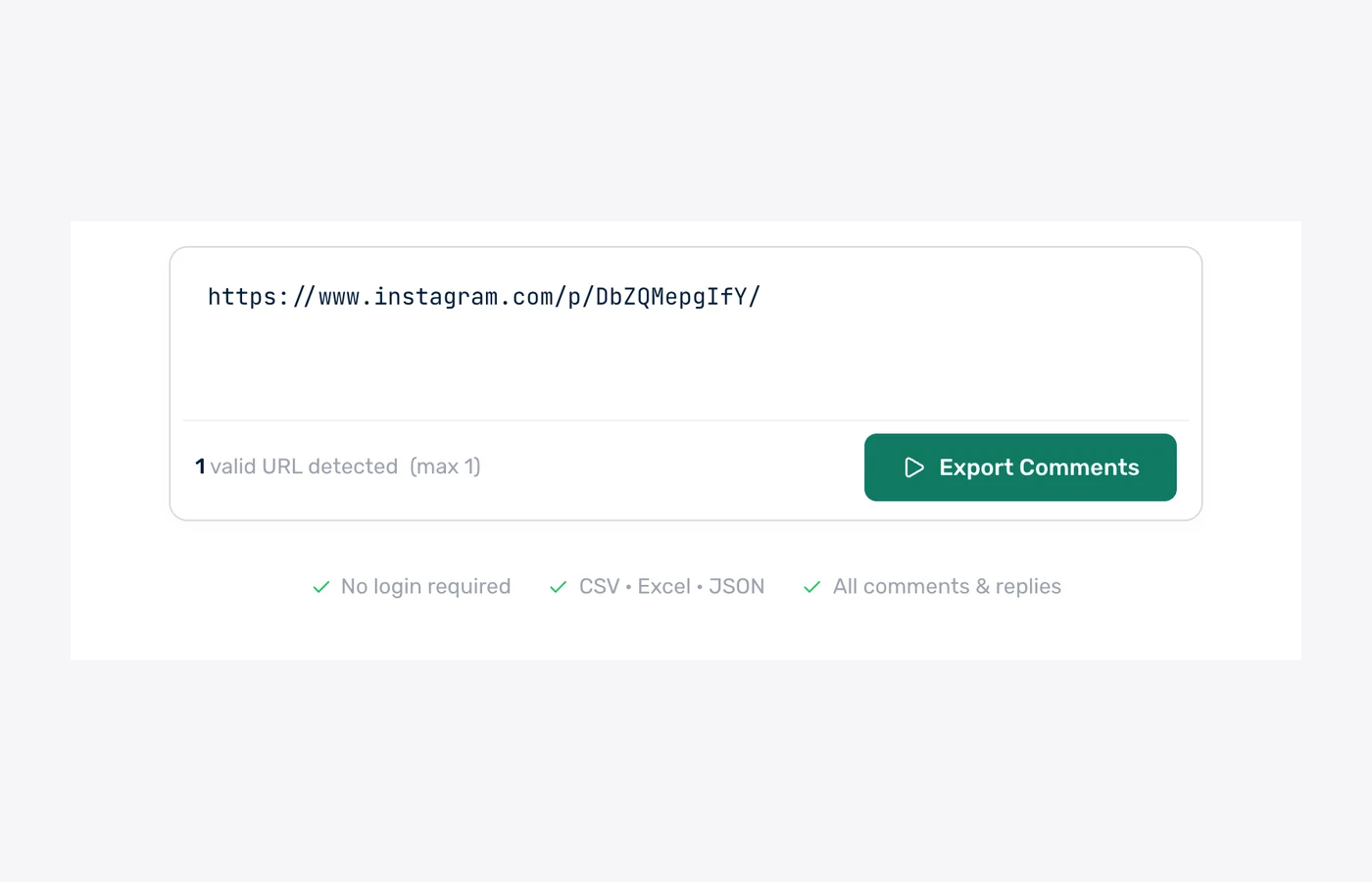
1. Paste the post URL
One Instagram post or reel link. No login screen, no API key, no browser extension needed.
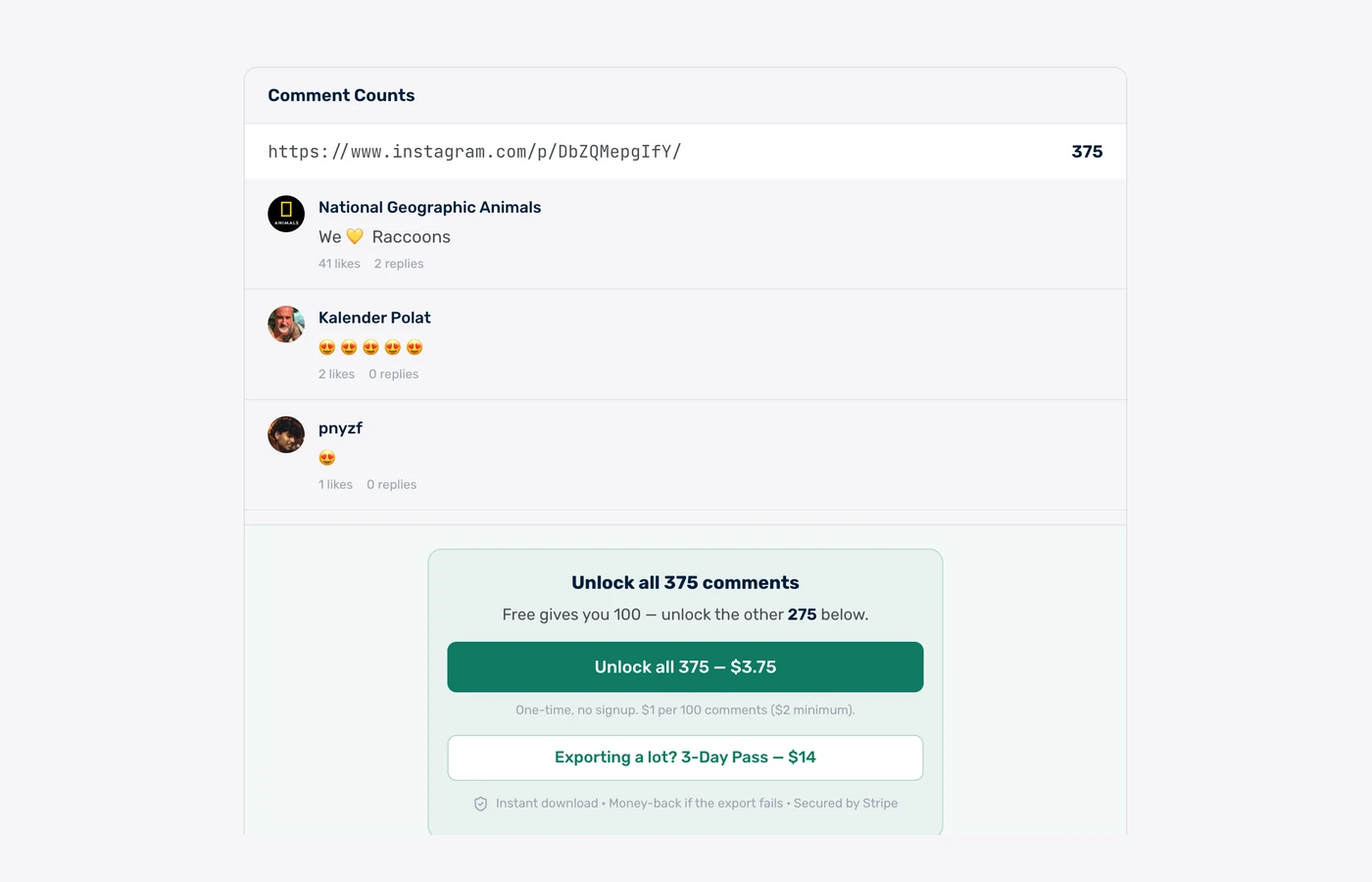
2. See the real count first
The exact comment count and a live preview of the rows appear before any payment step, so the size of the export is known up front.
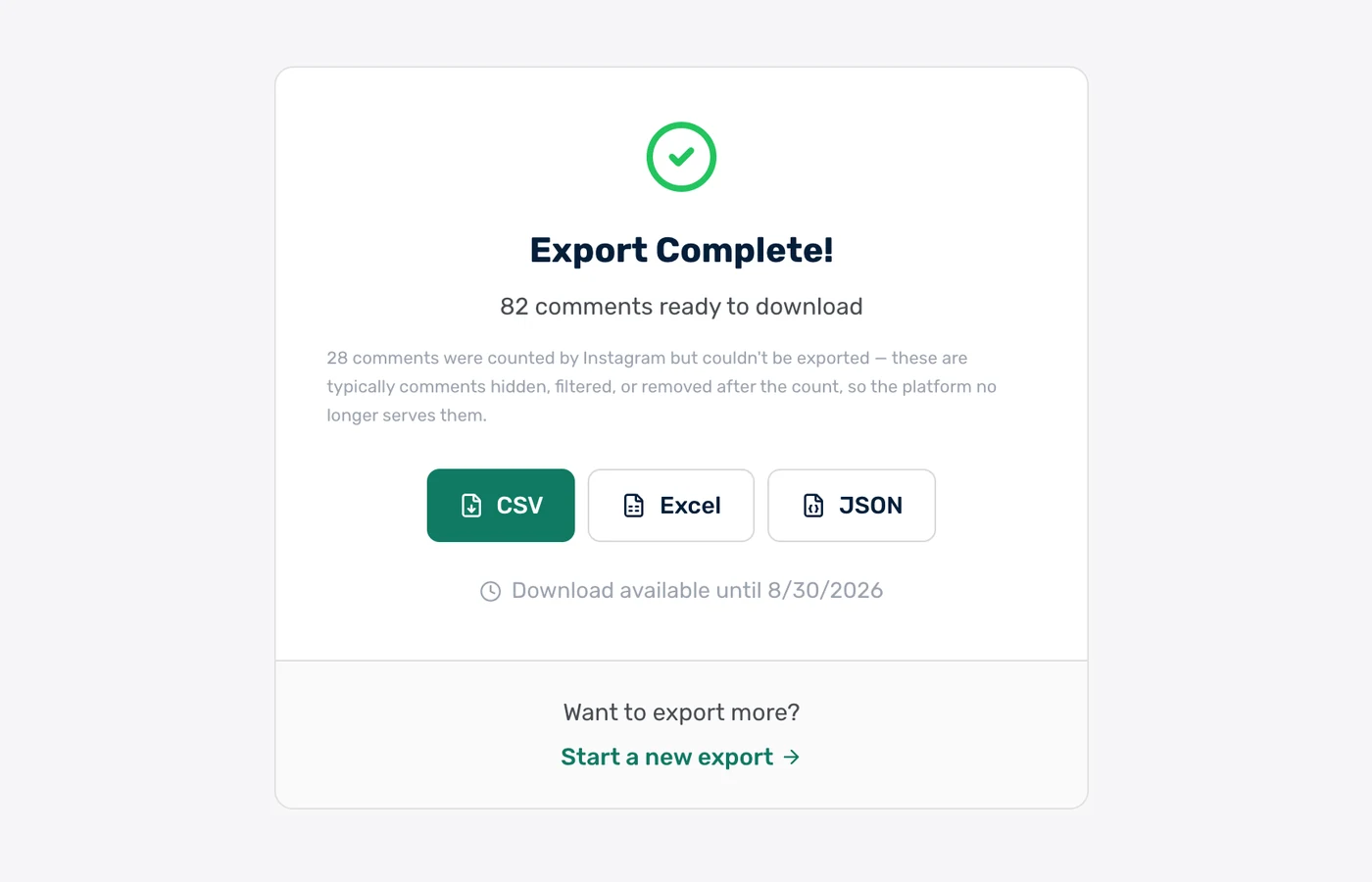
3. Download CSV, Excel or JSON
The finished file, in the format you want. Paid exports stay downloadable for 30 days.
Real rows from a real export
These are unedited rows from a public @natgeoanimals post we exported on 18 August 2026 — 567 comments, pulled in under a minute.
| username | author | text | likes | replies | created_at |
|---|---|---|---|---|---|
| @natgeoanimals | National Geographic Animals | We 💛 Raccoons | 161 | 5 | 2026-07-30 |
| @karl.ramsdell | Karl Ramsdell | These are wonderful photos. They are amazing animals to watch. ❤️ | 29 | 3 | 2026-07-30 |
| @being_shortt | Heather Joy | @lyndamarsh25 🦝 | 2 | 0 | 2026-07-31 |
| @gentleman_au_clair_de_lune | Yanice Elotmani | @leen.ouu 😍😍 | 1 | 1 | 2026-07-31 |
| @axurb_500 | Axurb 500 👑 | Fofinhos ❤️ | 1 | 0 | 2026-08-11 |
| @sean.ovan | Sean Donovan | @midwife.asad 🦝 | 1 | 0 | 2026-08-06 |
Eleven core columns lead every file. Instagram exports append about 19 more platform fields after them — verified flag, private-account flag, author id, media id and the rest — for roughly 30 columns in total.
What each column in the export contains
Every Instagram export uses the same column order. A column is left blank when Instagram does not expose that field for the post — missing source data is never filled in with an estimate.
- author
- Display name on the commenting account, falling back to the username when no display name is set.
- username
- The @handle of the commenting account.
- text
- The comment or reply text, unedited, with emoji preserved.
- likes
- Number of likes on that individual comment.
- replies
- Number of direct replies to that comment.
- created_at
- Comment timestamp, normalised to UTC for sorting and date analysis.
- language
- Detected comment language. Instagram does not expose this field, so it stays blank on Instagram exports.
- is_pinned
- Whether the post author pinned the comment.
- id
- Instagram’s own comment identifier, stable across exports and usable for deduplication.
- reply_to_id
- The parent comment’s id on a reply row; blank on top-level comments.
- avatar_url
- Profile picture URL for the commenting account.
Instagram exports append roughly 19 further platform fields after these 11 — among them user_is_verified, user_is_private, user_id, media_id, is_liked_by_media_owner and is_ranked_comment — for about 30 columns in total.
What this exports — and what it does not
This is a public-comment exporter. It reads the comment thread on a public Instagram post or Reel and nothing else about the account.
Exported
- Public comments on Instagram feed posts, Reels, and IGTV videos
- Replies, linked to their parent comment by reply_to_id
- Per-comment like and reply counts
- Commenter @handle, display name, and account id
- UTC timestamps on every comment and reply
Not exported
- Instagram Insights, reach, impressions, or any account analytics
- Ads Manager data, ad performance, or promoted-post reporting
- Follower lists, following lists, or the list of accounts that liked a post
- Direct messages, and Story replies — Story replies arrive as private DMs, so no public Story comments exist to export
- Comments on private accounts, or on any post that is not visible in a logged-out browser
- Audience demographics, age, gender, or location fields Instagram never attaches to a comment
The fastest Instagram comment export tool — measured, not claimed
ZocialComment delivers a free 100-comment Instagram export in a median of 5 seconds, measured across 3,383 real Instagram exports run between 8 September and 8 October 2026. 77% of free exports finish in under 10 seconds, and counting the comments before you pay takes a median of 1 second.
5 sec
median time to a 100-comment free file
77%
of free exports finish in under 10 seconds
1 sec
to count the comments before you pay
3,383
Instagram exports measured, 1.7M comments
Export time by size — 3,383 Instagram exports, 8 Sep – 8 Oct 2026
Time from starting the export to the file being ready. Counting runs first.
| Comments exported | Exports | Median time | 90% finish within |
|---|---|---|---|
| First 100 comments (free) | 2,505 | 5 seconds | 16 seconds |
| Up to 1,000 comments | 650 | 14 seconds | 54 seconds |
| 1,000 – 5,000 comments | 160 | 1.8 minutes | 3.7 minutes |
| 5,000 – 10,000 comments | 43 | 4.2 minutes | 6.8 minutes |
| Over 10,000 comments | 25 | 13 minutes | 45 minutes |
Head-to-head test — 14 September 2026
Same public post (4,268 comments), free tier of each tool, timed from click to file.
| Tool | Free rows | Columns | Time to file |
|---|---|---|---|
| ZocialComment | 100 | 30 | ~15 seconds |
| ExportGram | 50 | 4 | ~2.5 minutes |
| CommentGrid | 10 | 7 | ~1 minute |
Head-to-head method and all 7 tools tested: Instagram comment exporters compared.
Timings come from ZocialComment's own export logs. Bigger posts take longer because Instagram serves comments a page at a time.
Instagram comment export: CSV, Excel, no login, every comment
How to download Instagram comments
Copy the Instagram post or Reel link, paste it into the ZocialComment Instagram comment downloader above, check the comment count, then download every comment and reply as CSV, Excel or JSON. The first 100 comments of any post are free, with no signup and no Instagram login.
Export Instagram comments to CSV
Paste the post or Reel URL and download a UTF-8 CSV that opens in Excel, Google Sheets or Numbers. Each comment is one row with about 30 columns, starting with author, username, text, likes, replies and created_at.
Export Instagram comments to Excel
Choose Excel to get a native .xlsx file with the same columns as the CSV — no import step and no broken characters. The same export can also be downloaded as CSV or JSON.
Export Instagram comments without login
No Instagram account, password, session cookie, API key or browser extension is needed. The exporter reads public posts only and never likes, follows or replies, so nothing shows up in the post owner's notifications.
Export all Instagram comments, including 50,000+
Every publicly visible comment and reply is exported, up to the plan cap: 100 per post free, 10,000 on the $9 3-Day Pass, 100,000 on the $39 3-Day Pro Pass. Hidden, filtered and deleted comments are not served by Instagram to any tool.
What the Instagram comment exporter does
Not just a comment dump — the fields, filters, and formats real workflows need.
CSV, Excel & JSON
Every export downloads as CSV, XLSX, or JSON. CSV and XLSX open directly in Excel, Google Sheets, and Numbers; JSON carries the identical rows for scripts and data pipelines.
Posts, Reels & IGTV
Feed post (/p/), Reel (/reel/), and IGTV (/tv/) URLs are all supported. The public post URL is the only input required — no account connection and no API key.
Filter Before You Export
Comments can be filtered by date range, minimum like count, or keyword before the file is generated, so an export of a 10,000-comment post contains only the rows worth analysing.
Replies & Thread Structure
Replies are exported alongside top-level comments. The reply_to_id column links each reply to its parent comment, so conversation threads stay reconstructable inside a spreadsheet.
No Login. No Password.
No Instagram credentials are required at any point. The exporter reads public posts only — the same data a logged-out browser sees.
AI Sentiment (Paid Tier)
Pro Pass exports add an AI sentiment classification per comment and a one-paragraph summary of the whole thread, replacing a manual read of several thousand rows.
Download Instagram comments in 3 steps
An Instagram comment downloader that works from the post URL alone — paste, check the count, save the file.
Paste the URL
Drop any public Instagram post, reel, or IGTV URL into the box above.
We fetch the comments
Live progress over WebSocket — see comments arriving in real time, no waiting in the dark.
Download CSV, Excel, or JSON
One click — the file is on your computer. Open in Excel, Sheets, or pipe into your script.
Export the comments. Let AI read them for you.
Download the CSV, drop it into ChatGPT, Claude or Gemini, and paste one of these prompts. Thousands of comments, answered in seconds.
Research & sentiment
Find out what people actually say in your Instagram comments — top themes, questions, complaints, and how the mood splits.
Check giveaway rules
Let the AI flag who followed the rules — tagged enough friends, commented once, used the keyword — before you draw a winner.
Change the rules or questions to fit your post — the AI only needs the file and plain English.
Who exports Instagram comments?
Social Media Managers
Export comments from campaign posts to build engagement reports. Track sentiment trends week over week and prove campaign ROI to stakeholders.
Market Researchers
Analyze how audiences talk about a brand, product launch, or competitor on Instagram. Get raw text + metadata for downstream NLP or qualitative coding.
Agencies & Consultants
Pull comments from client posts in seconds, download clean CSVs, and deliver engagement data to clients in minutes.
Influencer Vetting
Before signing an Instagram KOL, export the comments on their last 5 posts. See real audience engagement quality — not just follower count.
Giveaway Winner Picking
Export all comments from a giveaway reel, filter by hashtag or @mention requirements, then pick winners fairly with the full participant list.
Content Strategy
See which themes resonate. Export comments from your top 10 posts to identify the questions, requests, and feedback driving real conversation.
What we do — and don't do — with your data
The short version: we never touch your Instagram account, and we don't keep your exports around.
We never ask for your Instagram password
No login, no OAuth to your Instagram account, no browser extension reading your session. We only read public posts — the same data anyone sees without logging in.
Payments handled by Stripe
Card details go straight to Stripe and never touch our servers. One-time payments only — no subscription, no auto-renew, nothing to cancel later.
Money back if the export fails
If a paid export does not deliver the comments, email us and we refund it. You also see the exact comment count before you pay, so there are no surprises.
Your exports get deleted
Free exports are removed after 24 hours, paid exports after 30 days. We do not sell exported comment data or share it with anyone.
Nothing is posted from your account
The tool only reads. It never comments, likes, follows, or messages anyone — there is no account of yours for it to act from.
Public data only
Private accounts and posts you cannot see in a logged-out browser are not exportable, by design. Instagram Stories have no public comments at all.
Free to start. Pay only when you need volume.
3 free exports a day, first 100 comments of any post free — no signup, no card. Then $1 per 100 comments, $3 minimum per export.
Free
First 100 comments per post
- No signup required
- 3 free exports a day
- Then $1 per 100 comments ($3 min)
- Unlimited giveaway picks
You're on Free. Paste a link above.
3-Day Pass
Up to 10,000 comments per post
- Export 20 links at once
- Unlimited posts for 3 days
- Unlimited giveaway picks
- One-time, no subscription
3-Day Pro Pass
Up to 100,000 comments per post
- Export 20 links at once
- Unlimited posts for 3 days
- Unlimited giveaway picks
- One-time, no subscription
Both passes include
Frequently Asked Questions
Everything people ask before exporting Instagram comments for the first time.
Guides
Learn how to export Instagram comments
Step-by-step guides for Excel, Google Sheets, Reels, bulk campaigns and analysis.
Other Platforms