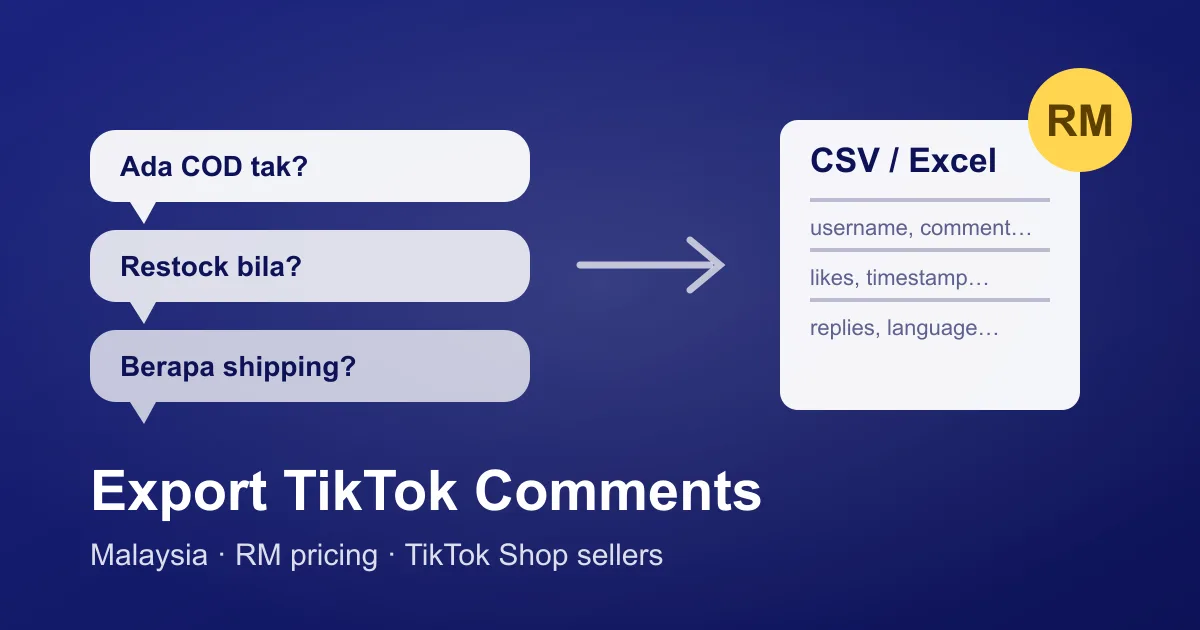
Malaysia is one of TikTok Shop's biggest markets in Southeast Asia — and for sellers here, the comment section is where buying decisions happen. "Ada COD tak?", "berapa lama shipping ke Sabah?", "restock bila?" — every one of those comments is a buying signal. But TikTok gives you no way to download them.
This guide shows how Malaysian sellers, marketers, and agencies export TikTok comments to CSV/Excel with ZocialComment — with prices shown in ringgit at checkout, a free tier that needs no signup, and full support for Malay, English, Manglish, and Chinese comments.
How do I export TikTok comments from Malaysia?
- Copy the video link — in the TikTok app: Share → Copy link. Works on your videos or any public video (yes, competitors too).
- Paste it at zocialcomment.com and press Export. The first 100 comments are free — no account, no card.
- Download CSV or Excel. Every comment comes with username, like count, timestamp, and nested replies.
Bigger videos are a one-time charge shown in RM at checkout — or an unlimited pass covers 3 days of unlimited exports.
Can I pay in ringgit?
Yes. Checkout detects that you're in Malaysia and displays the price in RM automatically. You pay by card, plus any local payment methods offered at checkout. There is no subscription — passes are one-time payments.
What do TikTok Shop sellers actually do with exported comments?
- Find your repeat commenters. Sort the CSV by username — people who comment on multiple videos are your warmest leads. Reply to them first, invite them to your live sessions.
- Turn questions into captions. If ten people ask "ada warranty tak?", your next video should answer it in the first three seconds. The export makes recurring questions countable instead of anecdotal.
- Catch complaints early. Filter for words like "lambat", "rosak", "tipu", "refund" — a spike is a product or logistics problem you want to fix before your rating drops.
- Study competitors. Export a competitor's viral video and read what their buyers ask for that they don't answer. That gap is your ad angle.
Does it handle Malay and Manglish comments?
Yes — comments export exactly as written. Malay, English, Manglish, Chinese, and emoji all survive the trip to CSV (the file is UTF-8, and the Excel export opens correctly in Microsoft Excel and Google Sheets without broken characters).
What does it cost in RM?
The first 100 comments of any post are free — no account, no card. Past that you pay once for the export, or take a pass that covers unlimited exports for a few days; the Pro Pass adds sentiment, purchase intent and audience demographics on top of the raw data. Exact RM amounts are shown at checkout at the live exchange rate, and every option is a one-time payment — no subscription, no recurring charge.
Start with your best-performing video
Paste your most-commented video into the TikTok comment downloader — the first 100 comments are free, so you'll see the full CSV format before paying anything. If you run multiple shops or client accounts, the 3-day pass covers unlimited exports across all of them.