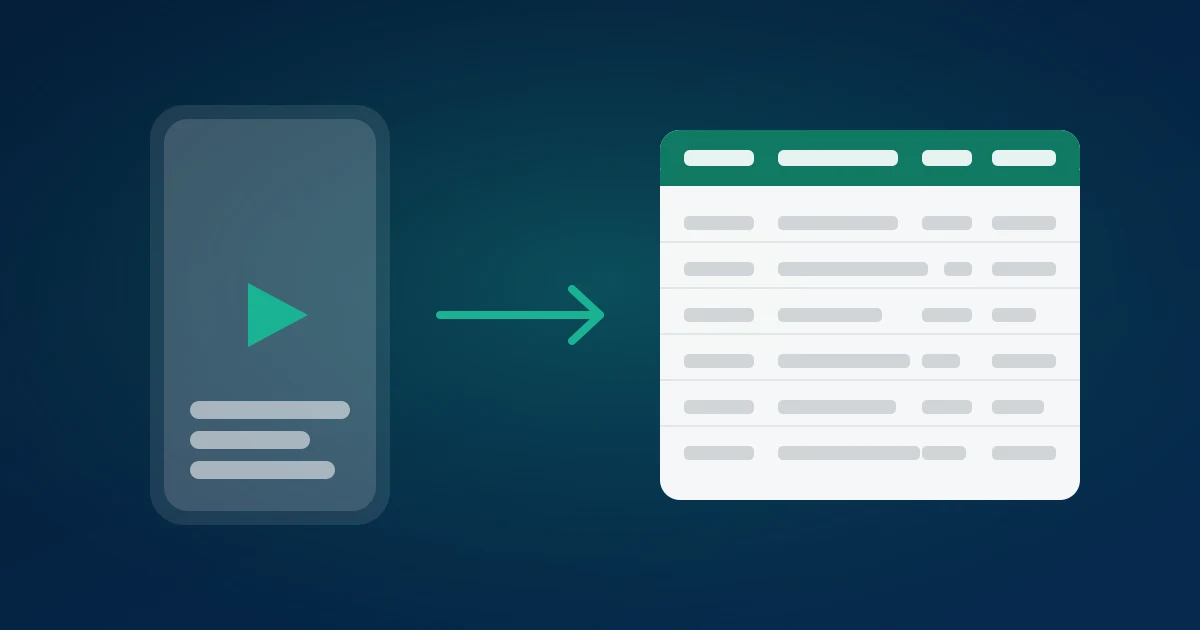
Instagram Reels comments are the most honest audience research you can get for free, and Instagram gives you no way to save them. There is no export button, no download option, and no way to sort or search the comment panel. Once a Reel is a few weeks old, the only way to read what people said is to scroll — and the panel loads a few dozen comments at a time, resetting every time you leave the screen.
This guide covers how to export Instagram Reels comments into a CSV, Excel or JSON file in about a minute, what every column in that file means, and the handful of analyses that make the export worth doing.
Why Reels comments are worth exporting
Reels are Instagram's reach engine. A feed post goes mostly to your followers; a Reel goes into a recommendation surface where the majority of viewers may never have heard of you. Meta's own product updates have repeatedly described Reels as the primary discovery format on the app, and the practical consequence for anyone reading comments is that the comment section of a Reel is not your audience — it is the market.
That distinction changes what the comments are worth. Comments on a feed post tell you what your existing followers think. Comments on a Reel that got picked up tell you what strangers think, in their own words, unprompted, at a sample size no survey budget would buy. A Reel with 4,000 comments is 4,000 unpaid responses to an open question.
Three questions are answerable from a Reels comment export and essentially unanswerable by scrolling:
- What did people actually ask? The same question appearing 60 times is a content brief, a FAQ entry, and usually a product gap.
- Who is commenting? Usernames plus like counts identify the accounts worth replying to, and the ones worth pitching.
- How did sentiment move over the Reel's life? The
created_attimestamp lets you split early comments from the ones that arrived once the algorithm pushed the Reel beyond your followers. Those two groups often say completely different things.
What Instagram gives you natively, and where it stops
Instagram's own tools are not built for this. Professional accounts get Insights, which reports the count of comments alongside reach, plays, saves and shares. A count tells you engagement happened; it does not tell you what was said. There is no view in Insights that shows comment text, no filter, no search, and no download.
The Instagram Platform API can return comments programmatically, but only for accounts you own and have connected through a Facebook app with the right permissions and App Review approval. It is the correct tool for a product that manages client accounts long-term. It is the wrong tool for "I want to read the comments on this Reel today", and it cannot touch a competitor's Reel at all. We covered that gap in detail in the Instagram comments API guide.
Which leaves three practical options: scroll and copy by hand, build a scraper, or use an exporter. Manual copying is fine for 30 comments and hopeless past 200 — and the comment panel lazy-loads, so a long scroll session can drop comments you already passed. Building a scraper means handling cursor pagination, a login-gated feed, threaded replies and a response shape that changes without notice; it is a week to build and a permanent maintenance job to keep alive.
Exporting a Reel's comments, step by step
1. Copy the Reel link
In the app: open the Reel, tap the share icon (the paper plane), and choose Copy link. On desktop: open the Reel and copy the URL from the address bar. Instagram serves Reels under both instagram.com/reel/<shortcode> and, for some entry points, instagram.com/p/<shortcode>. Both forms work — the shortcode is the part that matters, and any tracking parameters after a ? are ignored.
2. Paste it into the exporter
Open the Instagram comment exporter and paste the link into the URL field. One URL per export. There is nothing to install and no Instagram login — the export runs server-side against the public comment feed, which is why it cannot put your account at risk.
3. Decide about replies
Replies are included automatically. That matters most when the conversation itself is the subject — a controversial Reel where the arguments happen in the threads, or a support-style Reel where the useful answers are replies rather than top-level comments. Every reply row carries a reply_to_id pointing at its parent comment's id, so you can reconstruct threads in a spreadsheet with a lookup.
4. Preview, then download
Start the export and the comments stream into a preview table as they load, so you can see what you are getting before committing. The first 100 comments of any public Reel are free with no signup. Then pick your format:
- CSV — universal. Opens in Sheets, Excel, Numbers, pandas, R, anything.
- Excel — types preserved, so
likesarrives as a number and dates as dates. Best if the file goes straight into a pivot table. - JSON — nested structure intact. Best if the next step is code or an AI analysis pipeline.
What is in the file
Every export starts with the same core columns, then adds Instagram's own fields:
author— the commenter's display name.username— the @handle, which is the stable identifier. Display names change; handles rarely do.avatar_url— profile picture URL.text— the comment itself, emoji and all.likes— how many people liked that comment. The single most useful sorting column in the file.replies— number of replies to that comment.created_at— real timestamp, not "3w".language— detected language code, which matters more on Reels than on feed posts because recommendation traffic is global.is_pinned— whether the creator pinned it.idandreply_to_id— the thread structure.
Two columns deserve special attention on a Reel. likes is a crowd-sourced ranking of which comments the audience found worth agreeing with — sorting descending surfaces the ten comments that summarise the entire section, and it is the fastest possible read of a large export. language tells you how far outside your home market the Reel travelled; a Reel whose comments are 40% non-English is telling you something about distribution that Insights will never phrase that plainly.
Five analyses worth running
Sort by likes and read the top 20
Do this first, every time. It takes thirty seconds and it is usually 80% of the value. The top-liked comments are the audience's own summary of your Reel: the joke that landed, the objection everyone shares, the question everyone has. If you do nothing else with the export, do this.
Pull out the questions
Filter text for a question mark, then group the results. Questions asked repeatedly under a Reel are the highest-confidence content brief that exists — you have direct evidence that people who saw this video wanted to know that thing. A question appearing 30 times is your next Reel, and the one after it. Where do I buy this. Does it work on X. How long did it take. What is it called.
Split early comments from late comments
Sort by created_at and compare the first few hours against everything after. Early comments come from followers; late comments come from recommendation traffic — Meta's explanation of how Reels are ranked makes clear that recommended distribution is driven by predicted engagement rather than by who follows you. When those two groups sound the same, your Reel is on-brand and reached the right people. When the late comments are confused or hostile, the Reel travelled to an audience it was not written for — useful to know before you make ten more like it.
Build a follow-up list
Filter for buying-intent phrases — price, link, where, ship, discount, dm — and you have a list of handles who publicly asked to be sold to. That is the highest-quality lead list available on Instagram, and it is free. The mechanics of turning it into conversations are in this walkthrough on comment-to-DM outreach, which applies to Reels almost line for line.
Compare against a competitor's Reel
Export a competitor's best-performing Reel on the same topic and put the two comment sets side by side. Same questions? Same complaints? Different ones? Their comment section is a free record of what their customers wish they did differently — read a hundred of those and you have a positioning brief. Instagram competitor analysis goes further into that workflow.
Reels versus feed posts and carousels
The export mechanics are identical across formats, but the data behaves differently and it is worth knowing which you are looking at.
Reels produce the largest, most varied comment sets, because recommendation traffic dwarfs follower traffic. They also produce the most noise — a viral Reel collects a long tail of one-word reactions and unrelated tagging that a feed post does not. Expect a lower signal-to-comment ratio and lean harder on the likes column to cut through it.
Feed posts skew to existing followers, so their comments are warmer, more specific, and more likely to reference things only a follower would know. Smaller sample, higher average quality.
Carousels sit in between, and their comments often reference a specific slide, which makes them unusually actionable — "slide 4 finally made it click" is a direct instruction about what to lead with next time.
If you are exporting several posts, keep a column marking which one each row came from before you combine the files. The comparison across formats is often more informative than any single export. Bulk exporting Instagram comments covers that stacking pattern in detail.
Common problems
The Reel is from a private account. Nothing to be done. If you cannot see it logged out, it is not public data and it cannot be exported. This is a boundary, not a bug.
The count in the file is lower than the count on the Reel. Normal, and usually correct. Instagram's displayed count includes replies and can lag deletions; a deleted comment or a comment from a since-deactivated account still counts on the badge but has nothing to return, and Instagram's comment controls mean filtered and hidden comments are not part of the public feed either. Turning replies on closes most of the gap.
Comments are in ten languages. That is a Reels feature, not a problem — it means distribution went wide. Filter on the language column to analyse markets separately, or translate the text column. Our translation walkthrough uses TikTok as the example but the spreadsheet formulas are platform-agnostic.
Emoji look wrong in Excel. A CSV encoding issue on import, not an export issue. Choose the Excel format instead and the problem disappears, or import the CSV explicitly as UTF-8.
Cost and limits
The free tier returns the first 100 comments of any public post, three exports per day, with no signup. That is enough to test the workflow on a real Reel and enough for a genuinely small post. Beyond that: pay per export as a one-time payment sized to the comment count, or a 3-Day Pass for unlimited posts at up to 10,000 comments each — and a discount on a first 3-Day Pass. Pro Passes raise the ceiling to 100,000 comments per post and add AI analysis. Nothing here is a subscription; passes expire on their own.
The practical rule: if you are exporting more than three Reels, the pass costs less than paying per export and removes the arithmetic entirely.
Doing this on a schedule
One export answers a question. A habit compounds. The pattern that works for most accounts is a monthly pass day: export the month's five best-performing Reels, append them into one sheet with a column for the Reel, and answer three questions — what did people ask most, which comments got the most likes, and what changed since last month. It takes under an hour and it replaces most of what a content brainstorm is supposed to produce, with evidence instead of opinion.
For a competitor set, quarterly is enough. Export their three best Reels, read the top-liked comments and the complaints, and note what their audience keeps asking for that nobody is shipping.
Summary
Instagram will not export Reels comments for you, Insights only reports the count, and the official API is limited to accounts you own and have approved. Pasting a Reel link into the Instagram comment exporter returns every public comment as CSV, Excel or JSON in about a minute, with likes, timestamps, languages and thread structure intact — no login, no extension, first 100 free. Sort by likes, pull the questions, split early from late, and the Reel stops being a metric and starts being research. Related: export Instagram comments to CSV · Instagram comment sentiment analysis · monitor Instagram brand mentions.