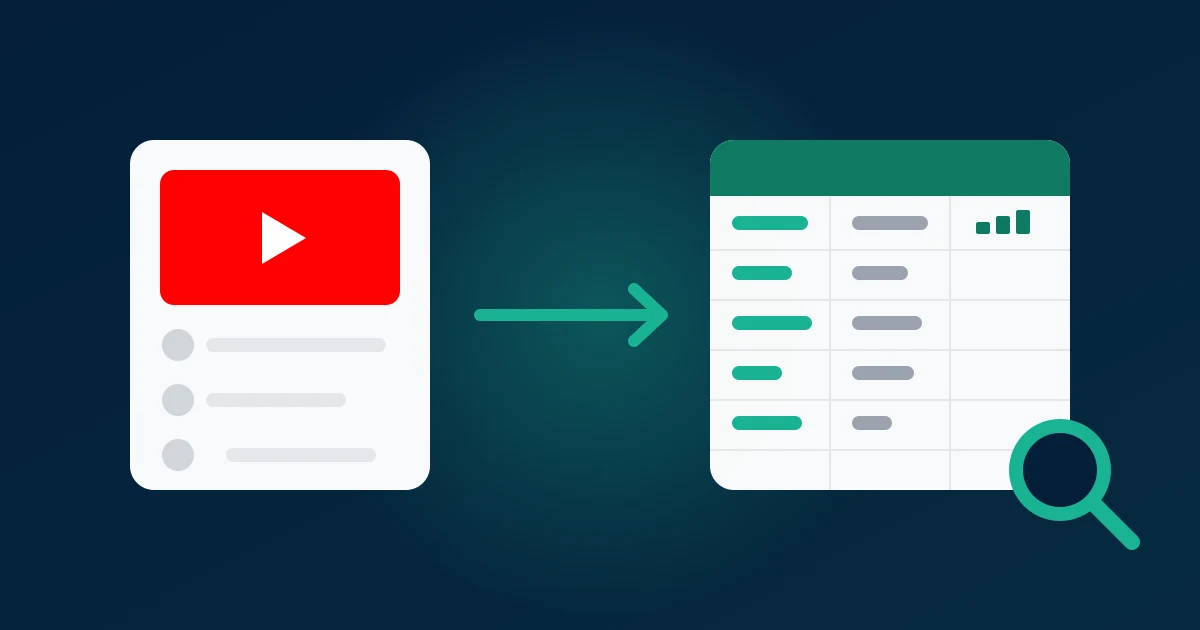
To export YouTube comments for research, you have four routes: YouTube's own tools (Studio and Google Takeout), copying by hand, the YouTube Data API v3, or a no-code exporter that turns a video link into a CSV, Excel or JSON file. For most studies of one to a few hundred videos, the no-code export is the fastest path to a complete dataset with replies; the API wins only when you need thousands of videos, exact timestamps and have someone to write code. YouTube's native tools cannot export another channel's comment section at all.
This guide compares those methods side by side, then covers the part most guides skip: turning a raw comment file into data you can defend in a methods section.
Four ways to get YouTube comments into a research dataset
| Method | Setup effort | Coding needed | Replies | Row limits | Output | Best for |
|---|---|---|---|---|---|---|
| YouTube Studio | None (own channel only) | No | Visible, not exportable | Read on screen only | None | Moderating your own videos |
| Google Takeout | Minutes, then a wait | No | Only your own replies | Only comments you wrote | CSV / HTML archive | Auto-ethnography, your own history |
| Manual copy | None | No | Each thread opened by hand | Practical ceiling around 50–100 | Whatever you paste into | A quick look at one video |
| YouTube Data API v3 | Google Cloud project, API key | Yes | Partial in commentThreads; full needs comments.list | 10,000 quota units/day by default | JSON you convert | Large corpora, exact timestamps |
| ZocialComment export | Paste a link | No | Yes, one row each | First 100 per video with no signup; more with a one-time payment | CSV, Excel, JSON | Studies of 1 to a few hundred videos |
A few facts behind the table:
- YouTube Studio has no export button. A channel owner can filter comments by "Published", "Held for review" and search terms, but the data stays on screen.
- Google Takeout covers only your own comments. Takeout exports what your account wrote across YouTube; it never returns the comment section of a video, not even one on your own channel.
- Manual copying loses structure. Likes, reply links and dates do not survive a copy-paste into a spreadsheet in usable columns.
- The API is the official route. commentThreads.list returns up to 100 top-level threads per call with exact
publishedAttimestamps, but each thread includes only a subset of its replies.
Which method to use when
Pick by the shape of your study, not by habit:
- You study your own commenting behaviour (diary studies, auto-ethnography): Google Takeout. It is the only route to comments you wrote on other people's videos.
- You need a first look at one video before writing a proposal: read it on YouTube, or export the first 100 comments with no signup and skim them sorted by likes.
- You study 1 to a few hundred videos (a channel, a product launch, a campaign, a controversy): a no-code export. One file per video, replies included, columns ready for Excel, R or Python.
- You study thousands of videos or need second-level timestamps for time-series work: the Data API, with a developer and a quota plan.
The decisive question is whether anyone on the team will maintain code. If not, the API's theoretical scale does not help you, and a pipeline that breaks mid-collection is worse than a smaller complete one.
What the API quota means for sample size
Every Google Cloud project starts with 10,000 quota units per day. A commentThreads.list request costs 1 unit, so on paper that is up to a million top-level comments a day. In practice the limit bites elsewhere:
- Replies cost extra calls. To get every reply in a busy thread you page through
comments.listwith aparentId, one call per page per thread. A video with 3,000 threads, half of them with replies, can cost several thousand units. - Search is expensive. Finding videos with
search.listcosts 100 units per call, so building a corpus from keywords eats the quota fast. - Raising the quota takes an audit. More than the default requires an application under the YouTube API Services Developer Policies, which also set rules on how long you may store API data.
If your corpus is a known list of video links, quota planning is usually more work than the collection itself.
What lands in each column of the export
A YouTube file from the YouTube comment exporter starts with the same core columns on every platform: author, username, text, likes, replies, created_at, language, is_pinned, id, reply_to_id and avatar_url. After those come YouTube-specific fields, including author_channel_id, author_is_creator, reply_level and published_time_text.
Three details matter for a methods section:
- Replies are rows. A reply has
reply_to_idset to its parent'sid, so you can analyse top-level comments and replies separately or rebuild whole conversations. - Dates are estimates. YouTube only displays relative times such as "2 weeks ago".
created_atis converted from that text, andpublished_time_textkeeps the original. Precision is good for recent comments and coarse for comments that are years old. - The language column is empty on YouTube. YouTube does not label comment language, so you add it yourself (see below).
Shorts work the same way as long videos; a /shorts/ link exports directly. With a pass you can paste up to 20 links at once and get one file per video, and AI comment analysis (themes and sentiment) is included with any pass.
From raw file to research data
A comment export is raw material. These steps turn it into a dataset another researcher could reproduce.
Stack files with a video key
Before merging files, add a video_id column to each so every row knows its source. Then stack them into one table. Keep the untouched original files in a read-only folder; every later step should be a script or a documented formula run against copies.
De-duplicate on the comment id
Never de-duplicate on text. Two people can write "first" or "great video" independently, and both are data. Duplicates come from collecting the same video twice, for example a pilot export and a full export a week later. Drop repeated id values and keep the newer row, since like counts keep changing.
Add a language column
Run a language detector over text: langdetect or fastText in Python, cld3 in R, or =DETECTLANGUAGE() in Google Sheets. Mark very short rows as "undetermined" rather than trusting a guess on three words. Multilingual channels often carry two or three languages in one comment section, and mixing them silently distorts any keyword or sentiment count.
Flag noise instead of deleting it
Add flags, not deletions: is_reply, is_creator (from author_is_creator), emoji_only, contains_link, very_short. Whether a heart emoji counts as data depends on your question; a flag keeps that decision visible and reversible.
Build a codebook and test it
For qualitative or content analysis, draw a random pilot of 100–200 rows, write category definitions with one example each, and have two coders label the same subset independently. Report agreement (Cohen's kappa or Krippendorff's alpha) and refine definitions until it holds. Only then code the full set. If you use an AI model to pre-label, treat it as a third coder whose output you check, not as ground truth.
Sample on purpose
Exports come back newest-first, so the first rows of a file are the most recent comments, not a random sample. Either code everything, or draw a documented random or stratified sample (for example, a fixed number per video, or proportional to each video's comment count). Report likes separately: engagement is highly concentrated, so a like-weighted analysis and a per-comment analysis can tell different stories.
How we know this: 879 YouTube exports in 30 days
We run the exporter, so these figures come from our own production data, not from YouTube's documentation. In the last 30 days, ZocialComment completed 879 YouTube exports holding 103,502 top-level comments and 27,931 replies. That makes replies 21% of all rows, a share any study that ignores replies throws away.
- Replies delivered vs. reply badges: the files held 94% of the replies YouTube's own reply counts promised. The gap is mostly replies YouTube holds for review or filters as spam, which no method can retrieve.
- Engagement is extremely skewed: 65.8% of top-level comments had zero likes, and on videos with 200 or more comments the top 10% of comments held 96.4% of all likes.
- Noise is small but real: 5.9% of top-level comments were 10 characters or shorter, 2.9% contained no letters at all (emoji or punctuation only), and 0.1% contained a link.
- Repeat collection is common: across those exports, 10,050 comment ids appeared in more than one file, because people export the same video again. That is why de-duplication on
idis the first cleaning step above.
The column names, the 20-link bulk limit and the first-100 rule are the live product values at the time of writing. Rules about the API come from Google's own documentation, linked above.
Research ethics: public does not mean anonymous
YouTube comments are public, but the people who wrote them did not agree to be quoted in a paper or a client report. The Association of Internet Researchers (AoIR) ethics guidelines ask researchers to weigh harm case by case rather than treating "public" as blanket permission. In practice:
- Collect only what the question needs. If you never analyse avatars, drop
avatar_urlright after download. - Pseudonymise early. Replace
usernameandauthor_channel_idwith study codes (P001, P002) in your working copy, and keep the key in a separate, access-controlled file. - Paraphrase quotes that could identify someone. A verbatim sentence pasted into a search engine leads straight back to the commenter. Paraphrase, or quote only creators and public figures speaking in that role.
- Be careful with sensitive topics. Comments on health, sexuality, politics or religion videos deserve extra protection, and in the EU fall under GDPR's special categories.
- Check your institution. Many ethics boards treat public social media data as exempt or low-risk, but they expect you to ask.
Exporting does not notify the channel or the commenters; it reads the same public page a logged-out viewer sees. That makes the duty of care yours, which is the point of the steps above.
A reproducible collection log
Whatever method you use, keep a short log so a reviewer can follow what you did: video links and titles, the date and time each was collected, the comment count YouTube displayed at that moment, the rows you received, and the method. Comment sections change after you collect them: comments get deleted, likes move, new replies arrive. The log is what lets you say exactly which version of the conversation you studied.
Export YouTube comments for your study →
Related reading: how to analyze YouTube comments, ways to scrape YouTube comments, downloading YouTube Shorts comments.