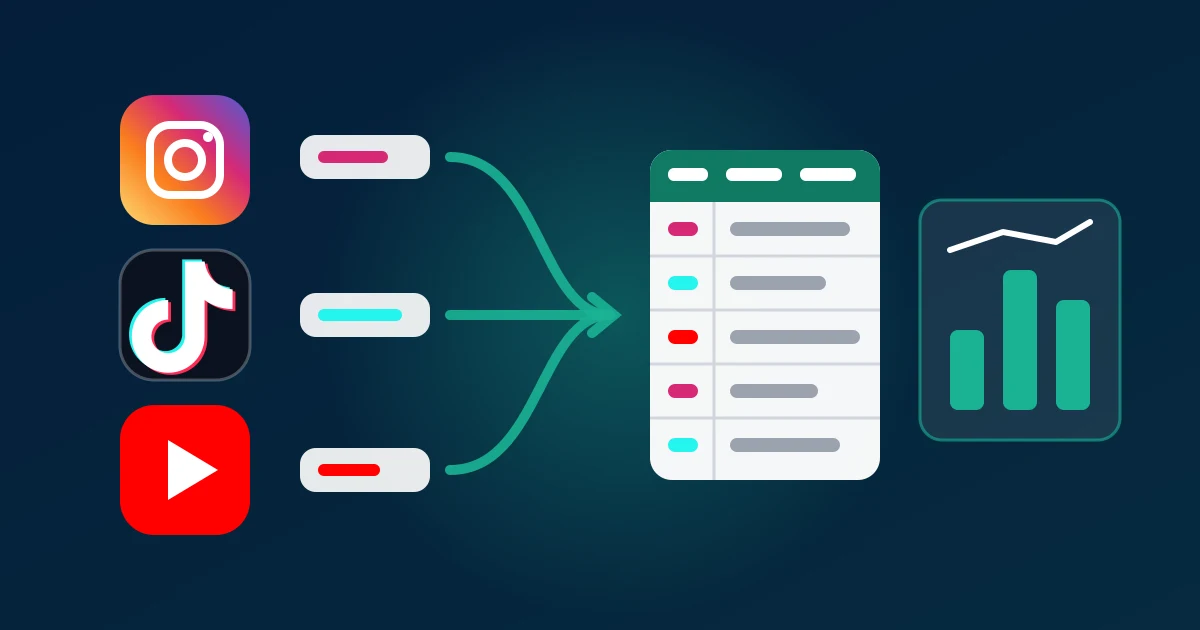
To pull the comments for a campaign wrap-up or a one-time brand audit, list every campaign post, paste the links into a comment exporter in one batch, and download the Instagram, TikTok and YouTube comments as one file per post that you then stack into a single sheet. ZocialComment does the download part free for the first 100 comments of every post, with no signup and no API access. The rest of this guide covers what to put in the batch, how to make three platforms line up in one spreadsheet, and the five reads that turn that sheet into a report a client will act on.
Wrap-up versus audit: two jobs, one dataset
Agencies and in-house teams ask for these two things in different words, but they are built from the same raw material.
- A campaign wrap-up looks back at a defined set of posts — the creator videos, the brand's launch posts, the paid partnerships — and answers: did the audience care, what did they ask, and which creator moved them.
- A one-time brand audit looks at a brand's recent posts at a single point in time, often next to one or two competitors, and answers: what do people keep complaining about, praising and asking.
Both are bursty. The work happens over a few days, then nothing for weeks. That is the reason a monthly listening subscription is a poor fit for either: you pay for eleven idle months to cover one busy week. It is also why the job is often done by hand, screenshot by screenshot, which is where most wrap-ups lose the comment data entirely.
What neither job needs is always-on brand-mention tracking across the web. If that is the real requirement, a social listening suite is the right tool and a comment export complements it. For a defined list of posts, an export is faster and cheaper.
Deciding which posts go in the batch
The quality of a wrap-up is decided before anything is downloaded. Build the post list in a sheet first, with one row per post and columns for platform, creator, post date, format and whether the post was paid.
- Every post the campaign produced. Creator posts, brand posts, Reels, Shorts, Stories that were reposted to the grid. Skipping the weak ones makes the campaign look better and the report less useful.
- A baseline. Two or three of the brand's ordinary posts from the same weeks. Without them you cannot tell whether "where can I buy this?" came from the campaign or is simply what this audience always asks.
- For an audit, a comparison set. The same number of recent posts from one or two competitors, picked by the same rule (for example, their five most-commented posts of the quarter).
Use the canonical link for each post — instagram.com/p/... or /reel/..., tiktok.com/@creator/video/..., youtube.com/watch?v=... or /shorts/.... Share links with tracking parameters usually resolve, but clean links fail less often.
Pulling the comments: one paste for every platform
With the list ready, the export itself takes minutes:
- Open the export box on the ZocialComment homepage, which accepts links from every platform. The Instagram, TikTok and YouTube exporters take their own platform's links only.
- Paste up to 20 links, one per line (several links at once need a pass; a single link is free). Instagram, TikTok, YouTube, Facebook and Reddit links can be mixed in one paste on the homepage.
- Check the comment count shown for each link. A single viral post with fifty times the comments of the rest will dominate every count you make later; decide now whether to keep it whole or sample it.
- Tick replies if the conversation matters. For a wrap-up it usually does: replies are where a creator answers sizing questions and where customers argue about price.
- Download. Each post arrives as its own CSV, Excel or JSON file, and the batch comes as one ZIP.
More than 20 posts is two pastes. Keep the file names — they carry the post ID, which you will need when a number in the report has to be traced back to a post.
Making three platforms line up in one sheet
Each platform calls things differently, so the clean export uses the same core columns everywhere: author, username, text, likes, replies and created_at. That shared header is what lets you stack the files.
- Open a new sheet with the shared columns plus three of your own:
platform,creatorandpost. - Paste each file under the header and fill the three extra columns for its rows. In Excel, Power Query's From Folder does this for the whole ZIP in one step; in Google Sheets, paste file by file.
- Convert
created_atto your reporting time zone before you chart anything by day. - Remove exact duplicates of
username+text+post, which appear when the same post was pasted twice.
Likes are not comparable across platforms — a TikTok comment with 300 likes and a YouTube comment with 300 likes sit in very different audiences — so compare likes within a platform, and compare counts of tagged comments across platforms.
Five reads that belong in every wrap-up
A wrap-up that says "sentiment was 78% positive" gets nodded at and forgotten. These five reads get acted on.
1. Purchase intent by creator
Filter text for buying words in every language the audience uses: link, price, where, buy, shop, cuánto, quanto, harga. Count matches per creator. The creator with the most "where do I buy this" comments per thousand views is the one to renew, whatever the view count says.
2. The unanswered questions
Filter for question marks, then check which questions got a reply from the brand or creator. Every unanswered question about sizing, shipping or availability is a lost sale and a concrete recommendation for the next campaign.
3. Recurring objections
Tag the negative comments by reason — price, quality, availability, the creator themselves — rather than by mood. "Too expensive" twelve times on one creator's post and never on another's is a targeting finding, not a sentiment score.
4. Real versus bought engagement
Count unique usernames per post. A post where 400 comments come from 60 accounts, or where the same three emoji repeat in a block, did not earn its comment count. It is a short, uncomfortable slide, and clients value it.
5. Quotable proof
Sort by likes within each platform and pull five comments that say, in the audience's words, what the campaign achieved. Quote them without usernames.
For larger datasets, AI tagging can do the first pass on reads 1 to 3. Treat it as a first draft: sample fifty tagged comments and check them by hand before the numbers go into a deck.
What we see from running bursty exports
We operate the exporter, so we see the shape of this work in the logs. In the 30 days to 14 October 2026, 562 people ran five or more exports, and 538 of them — 96% — did all of it on three or fewer separate days. 157 people exported from two or more platforms in the same period. Campaign and audit work arrives in short bursts and spans platforms, which is why the batch accepts mixed links and why passes are time-boxed instead of monthly.
The most common problem we see is not technical. It is a wrap-up built only from the campaign's best posts, with no baseline, which cannot say whether anything changed. The second is a single viral post swamping the counts; the fix is to report it separately.
The column names, the 20-link batch and the free first 100 comments are the live product values. For what each platform's own tools return, the authorities are the Instagram Graph API comments reference (your own media only), TikTok's Research API (approved academic researchers) and the YouTube Data API quota rules.
Where this approach stops working
- Always-on monitoring. If the brief is "tell us whenever anyone mentions us anywhere", that is a listening suite's job. Exports cover posts you name.
- Dark posts and ads. Ads that never appeared on a public profile have no public URL, so their comments cannot be exported by link.
- Private accounts and Stories. Out of reach, by design.
- Hidden comments. Comments a platform filters as spam or holds for review are returned to no reader, which is why a file is usually a few per cent smaller than the badge.
- Legal-grade evidence. A comment export is a snapshot for analysis, not an archived record. If a dispute might follow, capture the posts with a dedicated archiving process as well.
On privacy: public comments are readable by anyone, but storing and analysing them is still processing personal data. Keep the purpose narrow, delete the raw files when the report is done, and quote without usernames — the GDPR's lawful-basis rules are the reference if your audience includes the EU.
Pricing the job before you quote it
Before agreeing a deadline, paste the post list once and read the counts: they tell you the size of the job and how long it will take. The first 100 comments of every post are free, which is enough to test the method on a real campaign. Full threads and big batches are a one-time payment, never a subscription, so the cost sits on the project, not on your monthly overhead.
Download your campaign's comments free →
Related reading: exporting comments from many posts at once, TikTok campaign reporting for agencies, the agency guide to exporting Instagram comments, TikTok voice comments.