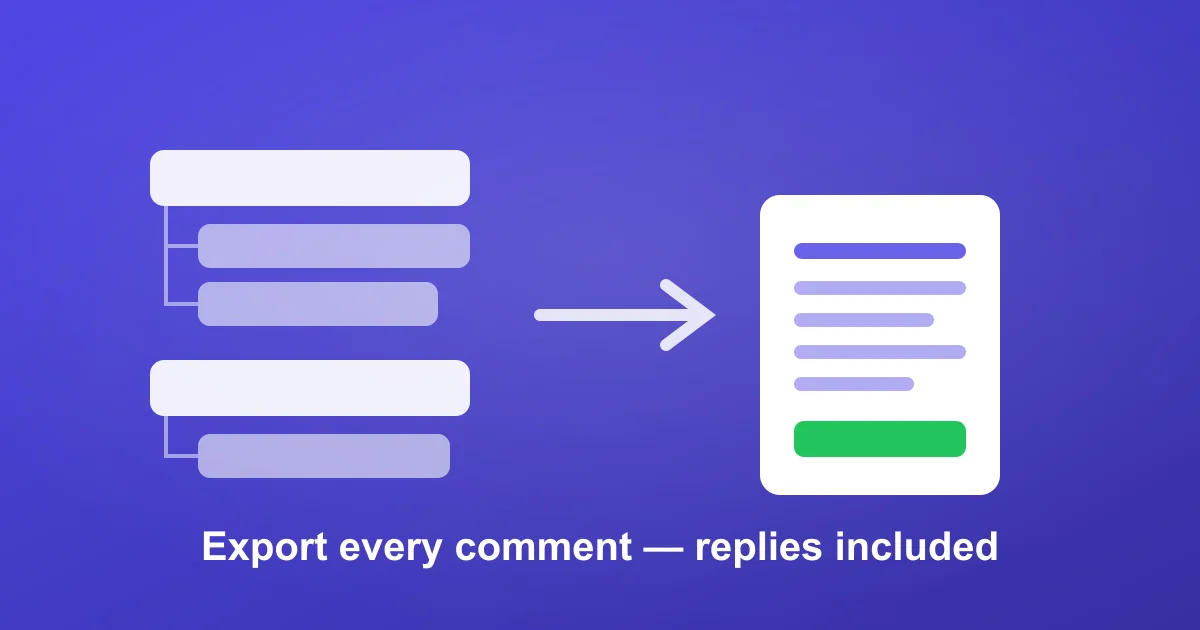
The word that trips people up is all. Getting the first few hundred top-level comments off a TikTok video is easy. Getting every comment — including the threaded replies buried under "View 47 replies" — is where most methods quietly fail and leave you with a partial dataset you don't realize is partial.
This guide covers why "all" is the hard part, why the replies are usually the comments you actually want, and the exact workflow to export a complete TikTok comment thread. With TikTok at nearly 2 billion monthly active users, a single viral video can hold 50,000+ comments — and the manual approach stops being possible long before that.
Why "all comments" is harder than it looks
TikTok has no export feature and no public comment API for normal accounts, so every method depends on reading the comment panel. That panel has three traps:
- Lazy loading. Comments load in small batches as you scroll. Stop scrolling and the rest never load — so any copy-paste or screenshot method only captures what was on screen.
- Collapsed replies. Replies are hidden behind "View N replies" and load separately from the main thread. A method that scrolls the top level still misses every nested reply unless each thread is expanded individually.
- Volume. On a video with tens of thousands of comments, manual scrolling takes hours and the browser tab usually crashes or de-loads older comments before you finish.
This is why people search for "export all TikTok comments" specifically — they've already tried a method that returned a suspiciously round, suspiciously small number and want the complete set.
Why the replies are the part that matters
Top-level comments are reactions ("😍", "need this"). The substance is usually in the replies: the follow-up questions, the price objections, the "does it work on X", the creator's own answers, and the arguments between viewers. If you're doing comment analysis, sentiment work, or influencer vetting, an export that drops replies throws away the highest-signal data on the video.
The reliable workflow: export the full thread
The only method that consistently returns all comments is one that paginates through the entire thread server-side — top-level and replies — instead of relying on you to scroll. Here's the process with ZocialComment:
- Open the TikTok video, tap Share → Copy link (works for video and photo/slideshow posts).
- Paste the URL into the free TikTok comment export. No signup, no extension, no TikTok login.
- Run the export. It walks the full comment tree — paginating through every batch and expanding reply threads — rather than stopping at what a screen would show.
- Download as CSV or JSON. Each row includes the comment text, username, like count, reply count, timestamp, and a parent reference so you can tell a reply from a top-level comment.
The free tier caps each video at 100 comments — enough to confirm the workflow and see the reply structure. To pull a complete large thread, the 3-Day Pass removes the per-video limit so a 30,000-comment video comes back whole instead of truncated.
How to confirm you actually got everything
A partial export looks identical to a complete one until you check. Two quick sanity tests:
- Compare to the on-screen count. TikTok shows a total comment count on the video. Your export's row count should land near it (it won't match exactly — TikTok's headline number counts some deleted/hidden comments — but it shouldn't be 400 rows against a 12,000 count).
- Check for replies. Filter the export for rows with a parent reference or a non-zero reply count. If every row is top-level, replies were dropped — that's the most common silent failure.
Methods compared
| Method | Gets all top-level? | Gets nested replies? | Scales to 10k+? |
|---|---|---|---|
| Manual scroll + copy/paste | Only what you scroll | No (replies stay collapsed) | No |
| Screenshot / screen recording | Partial | No | No |
| Browser extension | Often partial (on-screen only) | Inconsistent | Fragile at scale |
| Server-side exporter (ZocialComment) | Yes | Yes | Yes (plan-dependent limit) |
For the wider tool landscape and pricing, see the best TikTok comment export tools. If you want the result in a spreadsheet specifically, follow how to export TikTok comments to Excel after the export step.
Frequently asked questions
Does the export actually include replies, not just top-level comments?
Yes. ZocialComment paginates the full comment tree and includes replies with a parent reference, so you can keep the thread structure or flatten it — your choice.
Can I export all comments from a video with 50,000+ comments?
Yes, with a pass. The free tier is capped at 100 comments per video; the 3-Day Pass removes the per-video limit so large videos return complete instead of truncated.
Why is my export count lower than TikTok's displayed comment number?
TikTok's headline count includes some comments that are deleted, hidden by the creator, or filtered. A small gap is normal. A large gap (e.g. 500 vs 12,000) means the method truncated — switch to a server-side export and re-run.
Will exporting all comments get my TikTok account flagged?
ZocialComment doesn't use your TikTok account or ask you to log in — you only paste a public video URL — so there's nothing on your account to flag. It only works on public videos.
Can I export all comments from several videos at once?
Exports run one video at a time — run one export per campaign video and combine the CSVs afterward.
Get the complete thread
Grab a TikTok URL and run a free export to see the full reply structure for yourself. When you need a large video back in one piece — every top-level comment and every reply — move to a paid plan and, if you want it scored automatically, turn on AI comment analysis.