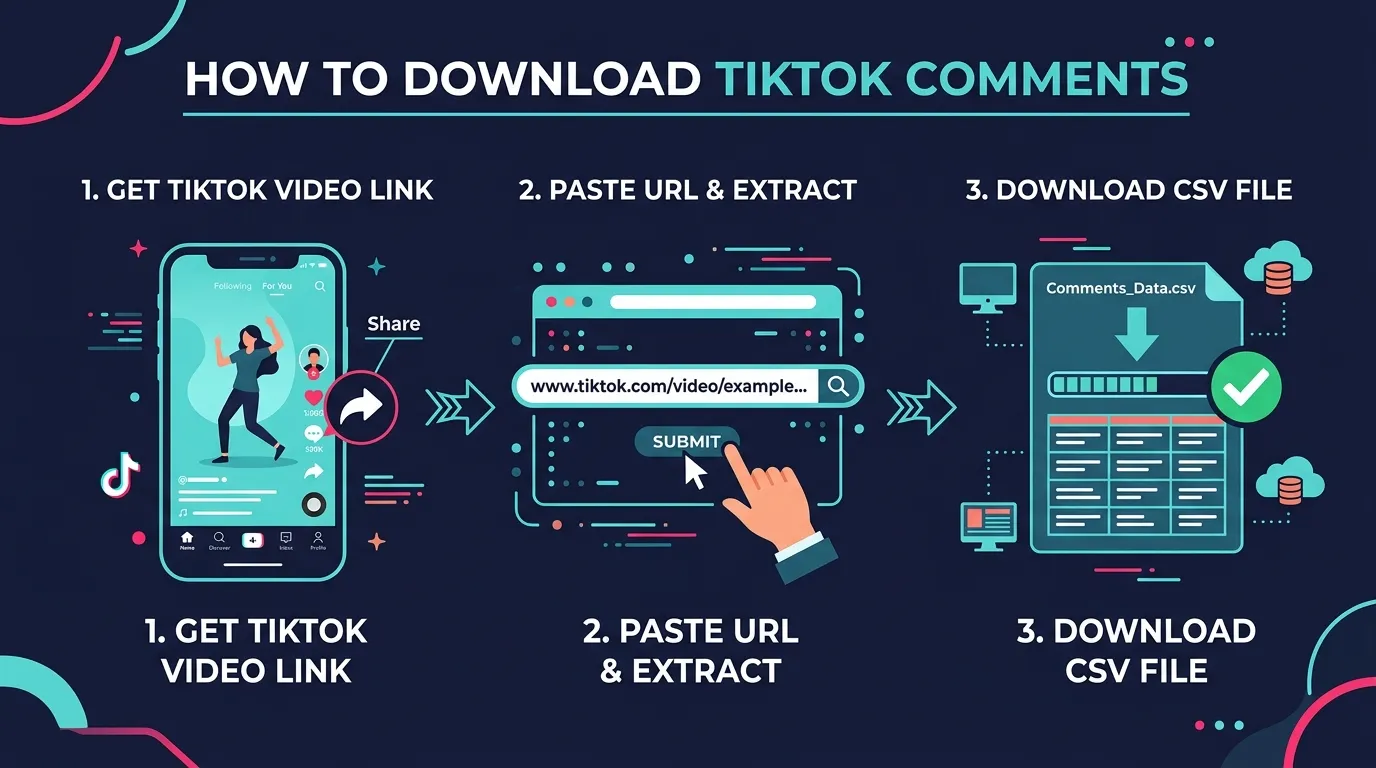
TikTok doesn't let you download comments natively. There's no "export" button anywhere in the app or desktop version. With 1.99 billion monthly active users generating billions of comments, this is a massive untapped data source for anyone doing research, marketing, or competitive intelligence.
According to Sprout Social, TikTok comment sections are one of the richest sources of unfiltered consumer feedback available. But getting that data out requires a third-party tool.
Here are five ways to download TikTok comments, from the simplest to the most technical.
Method 1: Web-Based Export Tool (Fastest, No Setup)
This is the easiest method. Open a website, paste a TikTok video URL, and download the comments.
Step-by-Step with ZocialComment
- Copy the video URL from TikTok. Open the video, tap the share button, and select "Copy link." The URL will look like
https://www.tiktok.com/@username/video/1234567890 - Go to zocialcomment.com/export
- Paste the URL into the input field
- Choose your format: CSV or JSON
- Click Export. The download starts within seconds.
That's it. No account, no signup, no credit card.
What you get in the export:
- Comment text
- Commenter username and display name
- Like count per comment
- Reply information (reply count, parent comment ID)
- Timestamps
- User profile data (avatar, handle)
- Language detection
- Approximately 45 data columns total
Free limits: No daily limit; the first 100 comments per video. Paid passes are one-time: a 3-Day Pass for unlimited exports, or a Pro Pass with AI analysis included.
Other Web-Based Tools
| Tool | Free Limit | Formats |
|---|---|---|
| ZocialComment | 100 comments, 3/day | CSV, JSON |
| ExportTok | 2,000 comments | CSV, Excel |
| IGComment | Unlimited (claimed) | CSV |
| ExportComments | Limited | CSV, Excel |
| MaveSave | 50 comments | CSV, Excel, JSON |
Method 2: Chrome Extension (Export from TikTok Directly)
If you prefer to stay on tiktok.com, browser extensions add an export button directly onto TikTok's interface.
Step-by-Step
- Install ZocialComment's Chrome Extension — Add it from the Chrome Web Store with one click
- Navigate to any TikTok video in Chrome
- Click the export button — it appears either as a floating button on the video page or in your browser toolbar
- Choose format and download
Alternative Extensions
- TTCommentExporter — Available on the Chrome Web Store. Exports to CSV and Excel directly from TikTok. Free to use.
- T-FYP Scraper — Exports videos, comments, and profiles. Also available on Chrome Web Store.
Pros: No tab switching, works while you browse TikTok.
Cons: Chrome only. Can break when TikTok updates their website. Speed limited by how fast TikTok loads comments in the browser scroll.
Method 3: AI-Analyzed Export (Comments + Insights)
If you don't just want the raw comments but need to understand what they mean, an AI-analyzed export saves hours of manual reading.
Step-by-Step with ZocialComment Analyze
- Go to zocialcomment.com/analyze
- Paste the TikTok video URL
- Click Analyze. The tool exports all comments AND generates a full report.
What the AI report includes:
- Sentiment score — Overall positive/negative/neutral breakdown with a numerical rating
- Purchase intent — Percentage of comments showing buying signals ("where to buy", "I need this", "how much")
- Audience demographics — Estimated age, gender, and location breakdown from commenter profiles
- Authenticity assessment — What percentage of comments are from real humans vs bots
- Discussion topics — Main themes ranked by frequency
- Key phrases — Most common words and expressions
- Engagement metrics — Comment-to-view ratio, reply rates
- Top commenters — Most active participants in the discussion
When to use this method:
- Preparing influencer campaign reports
- Analyzing product launch reception
- Vetting TikTok creators before partnerships
- Competitive intelligence (analyze competitor video comments)
Requires: the 3-Day Pro Pass.
Method 4: Apify / No-Code Scraping Platform (For Automation)
If you need to download comments from dozens or hundreds of videos on a recurring schedule, scraping platforms like Apify can automate the process.
Step-by-Step with Apify
- Create an Apify account at apify.com
- Find the TikTok Comments Scraper in the Actor marketplace
- Configure inputs: Paste one or more video URLs, set maximum comment count per video, choose proxy settings (auto is usually fine)
- Run the actor. Processing is fast — 100-200 comments per second.
- Download results in CSV, JSON, Excel, or XML. Or pipe them directly to Google Sheets via integration.
Pricing: Pay-per-use based on compute units; light usage is cheap.
When to use this method:
- Building research datasets with 100,000+ comments
- Scheduled weekly/monthly exports
- Feeding data into a custom dashboard or database
- Technical teams with developer resources
Method 5: Python Script (Full Control)
For developers who want complete control, Python with libraries like playwright or httpx can scrape TikTok comments directly.
Basic Approach
# Conceptual example — TikTok's anti-bot measures
# mean you'll need proxy rotation and browser emulation

# Option A: Use TikTok's unofficial API endpoints
# Option B: Use Playwright to render the page and scroll comments
# Option C: Use a service like Apify's API from Python

import requests

# Using Apify's API from Python
API_TOKEN = "your_apify_token"
run_input = {
    "postURLs": ["https://www.tiktok.com/@user/video/123"],
    "maxComments": 1000
}

response = requests.post(
    "https://api.apify.com/v2/acts/clockworks~tiktok-comments-scraper/runs",
    json=run_input,
    params={"token": API_TOKEN}
)
When to use this method:
- You have specific data processing requirements
- You're building a product that includes TikTok data
- You need full control over rate limiting, error handling, and data transformation
Caveat: TikTok actively blocks scrapers. According to Proxyway's 2026 review, browser-based scraping approaches are significantly more reliable than static request methods. Direct scraping requires proxy rotation, browser emulation, and ongoing maintenance. For most users, a dedicated tool is far more reliable.
Which Method Should You Use?
| Your Situation | Best Method |
|---|---|
| Quick one-off export, non-technical | Method 1: Web tool |
| Browsing TikTok and want to export on the fly | Method 2: Chrome extension |
| Need insights, not just data | Method 3: AI-analyzed export |
| Automated recurring exports at scale | Method 4: Apify |
| Building a product with TikTok data | Method 5: Python |
For 90% of users, Method 1 (web-based tool) is the right answer. It's instant, free, and requires zero setup.
What Can You Do with Downloaded TikTok Comments?
Once you have the data, common use cases include:
- Market research — Understand what people actually think about products, trends, or brands
- Influencer vetting — Check if engagement is authentic by analyzing comment quality and patterns. 37.2% of influencer followers show signs of being fake, making comment analysis essential
- Sentiment tracking — Monitor how audience reaction changes across videos or campaigns. Hootsuite's 2026 guide identifies comment sentiment as a leading indicator of brand health
- Competitor analysis — See what people say about competitor products in their comments
- Content ideation — Find what questions and topics your audience cares about
- Campaign reporting — Include comment analysis in client reports with real data
- Academic research — Build structured datasets for social media studies
- UGC discovery — Find authentic testimonials and user stories in comment sections
Frequently Asked Questions
Can I download TikTok comments for free?
Yes. ZocialComment exports the first 100 comments of any video free, with no daily limit. ExportTok gives 2,000 free comments. IGComment claims unlimited free exports. No signup required for any of these.
What format should I download TikTok comments in?
CSV if you want to open them in Excel or Google Sheets. JSON if you're feeding the data into code or an application.
Can I download comments from private TikTok videos?
No. All tools only work with public videos. If a video is set to private or friends-only, comments cannot be accessed by any third-party tool.
How many comments can I download at once?
It depends on the tool. ZocialComment handles up to 100 comments on the free tier, 20,000+ on paid plans. ExportTok handles up to 3 million on their Pro plan. Apify can process hundreds of thousands in a single run.
Does downloading comments violate TikTok's terms?
These tools access publicly available data — the same comments anyone can read by opening the video. No TikTok login is required, and no private data is accessed.
Will downloading comments get my TikTok account banned?
No. Web-based tools don't connect to your TikTok account at all. You paste a URL and the tool fetches the public data.
Can I download comments from TikTok photos/slideshows?
Most tools support both video and photo post comments. Check the specific tool's documentation if photo posts are your primary use case.