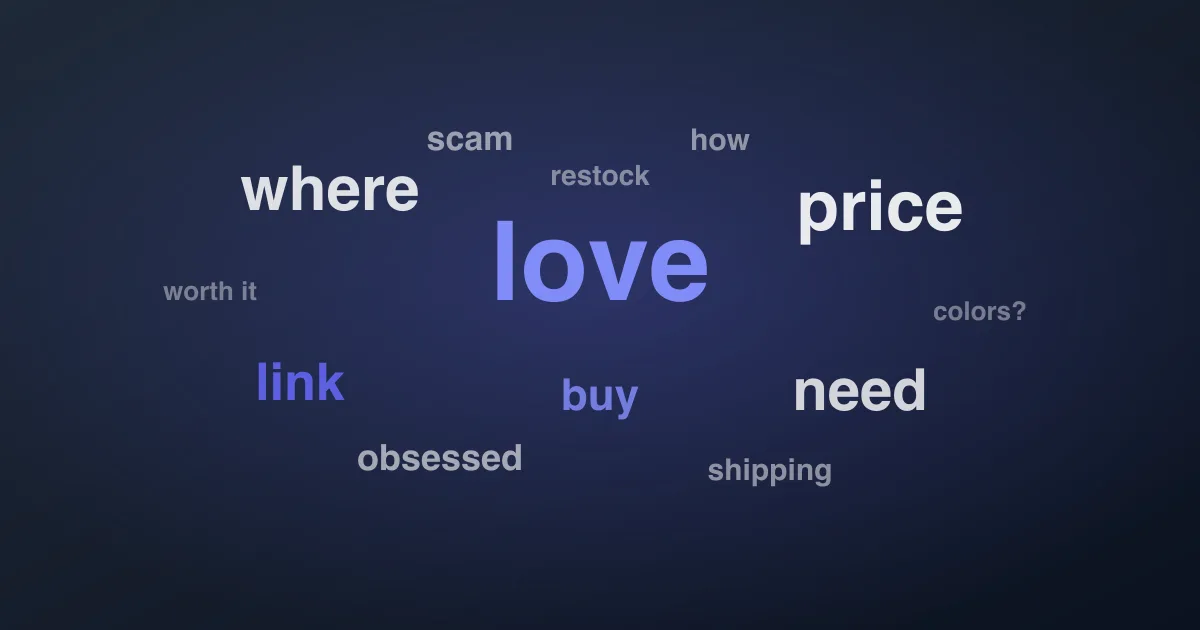
A word cloud is the fastest way to see what a TikTok audience is actually talking about — one glance and the dominant themes jump out, sized by how often people mention them. The catch: TikTok's own word cloud only works on ad comments. If you want one for an organic video, a competitor's post, or any account you don't run ads for, you build it yourself. Here's how, free, in a few minutes.
Why TikTok's built-in word cloud isn't enough
TikTok's Comment Insights (inside Ads Manager) does include a word cloud module, along with sentiment and trend charts. But it only covers comments on your own ads. Organic videos, competitor content, and any account you don't own are all off-limits. So for the vast majority of real use cases — researching a niche, sizing up a competitor, reading your organic audience — the native tool can't help, and you need to generate the cloud from an export.
Step 1 — Export the comments
A word cloud is only as good as the text behind it, so start with the full comment set. Paste the video URL into ZocialComment and export to CSV — the free tier covers 100 comments per video with no signup. Include reply threads if you can; replies often hold the questions and objections that make a cloud actually useful.
Step 2 — Isolate the comment text
Open the CSV and copy only the comment-text column into a plain text file or a single spreadsheet column. This matters: if you feed the whole export into a word-cloud tool, usernames, timestamps, and numeric IDs pollute the result. You want a word cloud of what people said, nothing else.
Step 3 — Generate the cloud
Paste that text into any free generator. Two reliable options:
- WordClouds.com — paste text, click generate, customize colors and shape. No account.
- A spreadsheet — if you'd rather stay in Google Sheets or Excel, split the text into words and use
COUNTIFto rank them; less pretty, but exact frequencies you can sort and filter.
Every tool sizes each word by how often it appears — that's the entire mechanic of a word cloud.
Step 4 — Strip out the noise (this is the important part)
Your first cloud will be dominated by "the", "and", "this", plus TikTok filler like "fyp", "tiktok", and "lol". Those are frequent but meaningless. Add them to the tool's stop-word list (every good generator has one) so real themes — product names, questions, reactions — rise to the top. This single step is the difference between a cloud that looks impressive and one that tells you something.
Step 5 — Read it for signal, not decoration
A word cloud is a fast first read, not a verdict. Once the filler is gone, look for three things specifically:
- Themes — the biggest remaining words are what your audience keeps coming back to. A recurring topic is a content idea or an FAQ entry.
- Objections — words like "price", "expensive", "scam", "shipping" flag the friction stopping conversions.
- Buying intent — "where", "link", "need", "buy" appearing prominently means demand you can act on. See turning comments into buyers.
The honest limitation of word clouds
Word size is frequency, not meaning. A cloud can't tell "I love this" from "I do not love this" — it strips out context, sentiment, and sarcasm entirely. "worst" and "best" render the same size. So treat the cloud as a 30-second orientation, then run real sentiment and theme analysis on the same export to understand what the words actually mean. The word cloud tells you what people mention; sentiment analysis tells you how they feel about it.
Skip the manual steps with AI analysis
If you'd rather not paste-and-filter every time, ZocialComment's paid plans run AI analysis on the export directly — top themes, sentiment split, and purchase-intent scoring — which covers what a word cloud shows plus the meaning it can't. The Pro Pass unlocks it alongside unlimited exports.
Frequently asked questions
Does TikTok have a built-in word cloud?
Only in Ads Manager's Comment Insights, and only for comments on your own ads. Organic and competitor videos aren't covered — you build the cloud from an export.
How do I make one for free?
Export the comments to CSV, copy the comment-text column, and paste it into a free generator like WordClouds.com. Add filler words to the stop-word list so real themes stand out.
Is a word cloud enough on its own?
No. It shows word frequency but strips out sentiment and context. Use it to spot themes fast, then run sentiment analysis on the same data to interpret them.
Build your first cloud
Grab a TikTok URL, run a free export, drop the comment column into a word-cloud tool, and filter the noise — you'll see what your audience cares about in under five minutes. When you want the meaning behind the words too, the Pro Pass adds AI sentiment and theme analysis to the same export.